Tahabay icon tahabay

Best Gaming Monitors Under $300

Real eBay gaming monitors under $300: 144Hz, 180Hz and 34-inch ultrawides, plus the cables and arms worth adding. Prices checked 30 Sep 2026.

ASUS PB278Q 27-inch 1440p IPS monitor

The gap between a mediocre gaming monitor and a genuinely good one has never been narrower, and the reason is that the current crop of 144Hz, 180Hz and ultrawide panels is landing on the used and refurbished market at prices that would have been unthinkable a few years ago. The seven monitors below all had live eBay listings at or under $300 when we checked on 30 September 2026, and every price quoted in this guide is the price in that listing, not a guide price or a wishful average.

A word of warning before the picks: eBay prices change constantly and vary by seller, condition and shipping. A refurbished panel and a brand-new one are the same product line with a very different warranty story, and a $119 monitor that sells out on Monday can be $160 by Wednesday. Buy the spec you need at the price you can verify on the day, and check the listing photos and return terms rather than trusting the title alone.

Part 1

How to shop a gaming monitor on a $300 budget

Most buyers fixate on refresh rate first, and refresh rate is not the wrong place to start, but it is the narrowest of the four things that actually decide whether you enjoy your games.

Resolution versus panel size. These two fight each other for your budget. A 27-inch 1440p panel gives you a dense, sharp image with room for readable text, which is why it is the sweet spot for desk play. A 32-inch 1080p panel is a different animal entirely: pixels get visibly chunky at normal desk distance, but the picture is huge and readable from a metre or two away, which is why 32-inch 1080p shows up so often in living-room setups and console bundles. A 34-inch 3440x1440 ultrawide is a third option, giving you roughly the same height as a 27-inch 16:9 screen with about a third more width. It is a genuine upgrade for a racing game or a flight sim, and largely invisible in a single-player story-driven game.

Refresh rate. Under $300 you are realistically choosing between 100Hz, 144Hz, 165Hz and 180Hz, and the 144Hz-to-180Hz band is where the value is. Anything above 144Hz is a real improvement over 144Hz, but diminishing returns set in fast, and a good 144Hz 1440p screen beats a mediocre 180Hz 1080p screen every time. Look for a listing that states the refresh rate explicitly, and be suspicious of any monitor title that omits it.

Response time claims. Every budget monitor claims 1ms. Treat that number as marketing rather than measurement, because it is measured under ideal conditions that never occur in a real match. Read response time as a claim that the panel is not deliberately slow, not as a promise of a specific millisecond figure. What you will actually notice day to day is smearing on dark backgrounds, and that is a panel-generation issue rather than something a spec sheet can fix.

Sync and connectivity. Variable refresh rate is worth having if your GPU supports it, but at this budget it is a nice-to-have rather than a must. Ports matter more than most people expect, because a monitor with HDMI and DisplayPort gives you flexibility across a PC, a console and a laptop, while a DisplayPort-only panel is a dead end the moment you want to plug in a PS5. Check the port list in the title and make sure it covers your actual devices.

Refurbished versus new. At $300, refurb is where the good hardware hides. A refurb unit carries a real risk of a dead or stuck pixel and usually a shorter return window, so the deciding factor is not the condition label but the seller. A refurb listing with real photos, a stated return policy and a seller who answers questions is worth more than a new listing with stock photography.

Part 2

The best gaming monitors under $300

ASUS PB278Q 27-inch 1440p IPS — $99

The cheapest route to 1440p on this list, and the one to buy if you are building a first proper gaming setup on a strict budget. The is a 2560x1440 IPS panel with DisplayPort, HDMI and DVI, listed at $99 when we checked on 30 September 2026.

  • Pros: 1440p sharpness at a 1080p price; IPS panel means accurate colour and wide viewing angles for the money; three video inputs means it works on a PC, a console and older hardware at once; the cheapest way into 1440p we found under $300.
  • Cons: the listing is a spec-and-parts entry with a thin description, so confirm panel size, stand type and what is included before you commit; a 60Hz-class refresh rate is likely at this price, so it is a work-and-casual screen far more than a competitive one; no high-refresh gaming features are listed.

At $99 this is the value anchor for the whole guide. It is not a twitch monitor, and anyone expecting 144Hz here will be disappointed, but the jump from 1080p to 1440p is a bigger upgrade to how a game looks than most buyers expect.

KTC H27T27S 27-inch 1440p 144Hz — $119

Our pick as the best gaming monitor under $300 overall, and the single most striking value in the guide. The is a 2K 1440p panel with a 144Hz refresh rate and a stated 4000:1 contrast ratio, listed at $119 on 30 September 2026. For that money you are getting the combination most buyers actually want: high refresh at 1440p.

  • Pros: 144Hz at 1440p for $119 is the single best price-to-spec line in the roundup; the 4000:1 figure is unusually high for a gaming panel and points to a decent native contrast ratio; a 27-inch 27-inch-class size is the right fit for a desk.
  • Cons: KTC is a smaller brand than the household names, so the return policy and warranty terms matter more than usual; the listing gives a spec summary rather than a condition description, so ask for photos of the actual panel; 4000:1 is a native figure and a bright room will flatten it quickly.

Two hundred dollars cheaper than most of this list, and it does the thing high-refresh gaming is actually for. If you play shooters or anything where you need to read movement, this is where to spend.

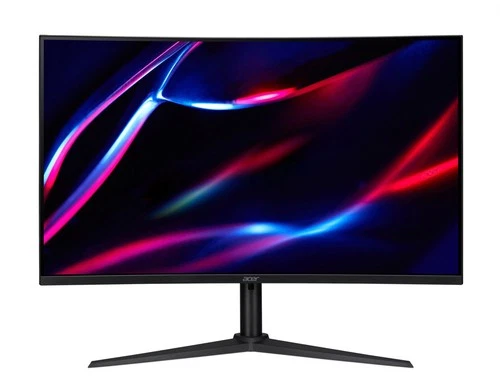
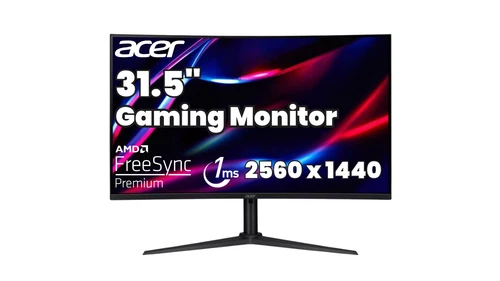
Acer XZ320QU 31.5-inch 180Hz curved 1440p refurb — $148.05

The highest refresh rate in the roundup, and the one to consider if your GPU can feed it. The is a 2560x1440 16:9 panel rated at 180Hz and 1ms with a stated 250-nit brightness, listed as refurbished at $148.05 on 30 September 2026.

  • Pros: 180Hz is the highest refresh rate available under $300 here, and the step up from 144Hz is visible in fast camera movement; 1440p keeps text and icons sharp at 31.5 inches, which is unusual at this size; curved panel suits a desk that is against a wall or a wide desk with a lot of horizontal space.
  • Cons: it is explicitly a refurbished unit, so expect at least a warranty question and possibly a panel blemish; 250 nits is dim, and a bright window behind you will wash it out; a 31.5-inch 16:9 panel needs real desk depth to view comfortably.

Buy this one if your GPU can push 150fps or more at 1440p. If it cannot, the Acer Nitro below gives you the same resolution for roughly the same money with a refresh rate you can actually feed.

Acer Nitro 31.5-inch 144Hz curved 1440p refurb — $156.44

The pragmatic version of the Acer above, and the safer pick of the two refurb units. The is a VA panel at 2560x1440, 144Hz and 1ms, listed as refurbished at $156.44 on 30 September 2026.

  • Pros: VA panels generally deliver deeper blacks than IPS, which is a real advantage in dark games; 144Hz at 1440p is a combination that holds up well on mid-range hardware; curved at 31.5 inches fills a wide desk without feeling stretched.
  • Cons: VA panels can show smearing on dark-on-dark detail, and this listing does not state a measured response time beyond the marketing 1ms; refurbished, so panel inspection matters; VA colour shift is noticeable at extreme viewing angles.

This is the one to pick if you play a lot at night, or if your GPU is a 1440p-midrange card rather than a high-end one that can push 180fps.

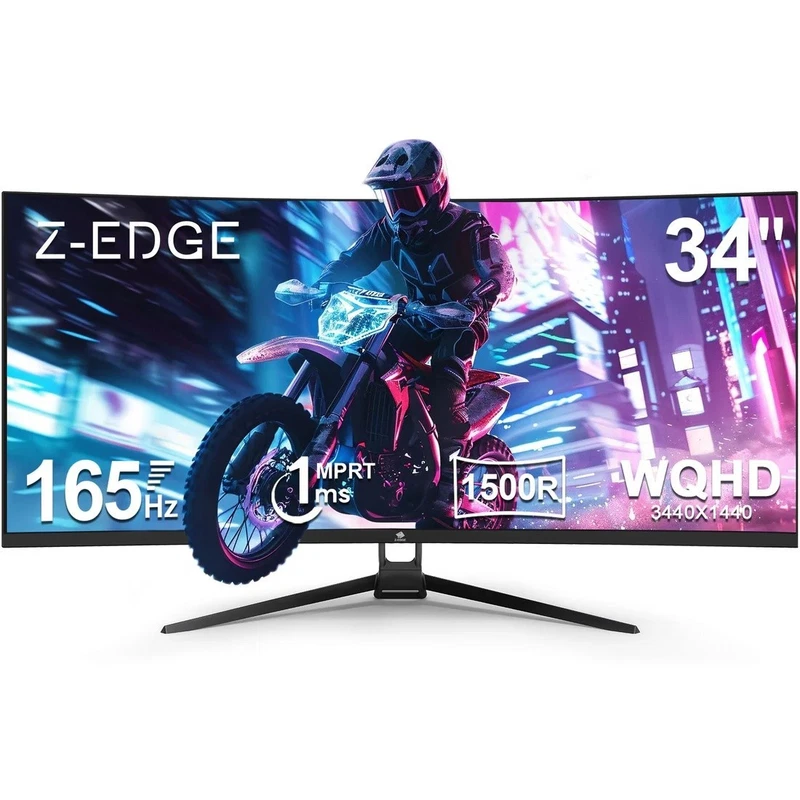
Z-EDGE 34-inch 3440x1440 165Hz ultrawide — $199.99

The best ultrawide under $300, and the only 21:9 screen in the guide. The is a 21:9 panel rated at 165Hz and 1ms with both HDMI and DisplayPort, listed at $199.99 on 30 September 2026.

  • Pros: 3440x1440 is roughly 1.8 times the pixels of 1080p and about a third more width than a 16:9 screen of the same height, which is transformative in racing and flight sims; 165Hz keeps it competitive rather than just cinematic; HDMI plus DisplayPort covers a console and a PC equally well.
  • Cons: ultrawides need a wide desk and a lot of desk depth, and a 34-inch panel at that ratio is not usable at arm’s length; ultrawide resolutions can leave black bars on games that do not support 21:9; at $199.99 you give up the warranty and shipping advantage of a smaller new panel.

Whether this is a huge upgrade or a mild one depends entirely on what you play. In a simulator or a racing game it is transformational. In a menu-heavy single-player game it is a wide screen with a wide black bar.

LG UltraGear 32GN50T-B 32-inch 165Hz 1080p — $250

The biggest screen here, and the one built for distance rather than for a desk. The is a 32-inch 1080p LED panel at 165Hz and 1ms with HDMI and DisplayPort, listed at $250 on 30 September 2026.

  • Pros: 32 inches is a genuine living-room screen for console play, and 165Hz is unusually high for a 1080p panel of this size; LG UltraGear is an established gaming line with a real support ecosystem; the refresh rate and response figures are both explicitly stated in the title.
  • Cons: 1080p at 32 inches means visibly chunky pixels at normal desk distance, so this is a couch monitor, not a desk monitor; the listing explicitly says no cables are included; at $250 you are paying a size premium over several 1440p options that are better for close-up work.

The listing says no cables, and that is a real cost to factor in. Budget for a proper cable from the section below, and check whether the seller has any in stock at all, because this is a rarer unit.

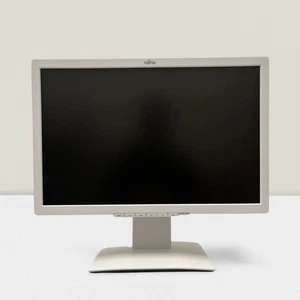
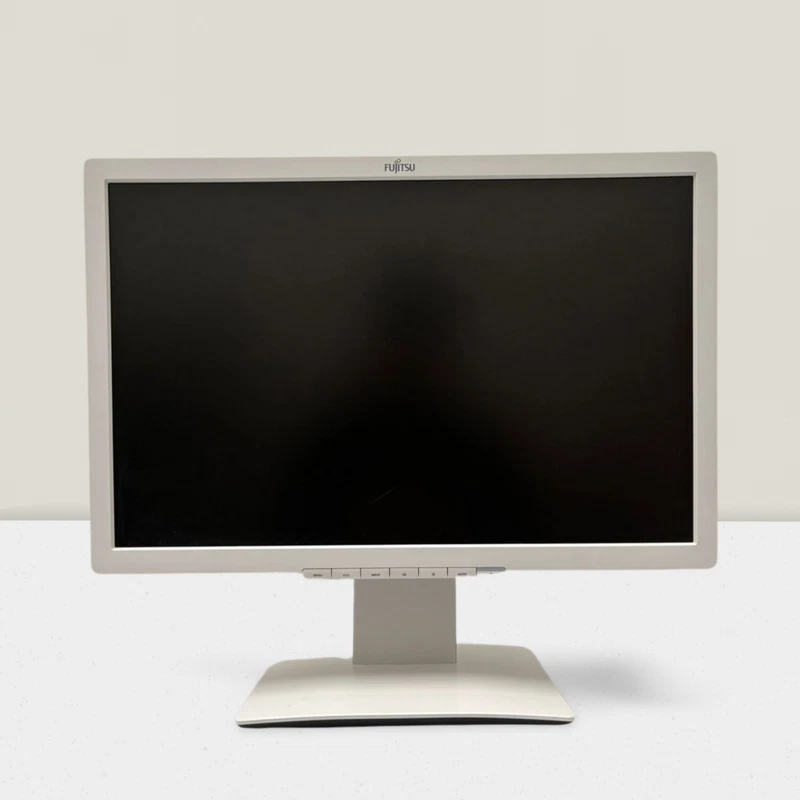
Fujitsu B22W-7 22-inch 1680x1050 — $34.45

The budget option, and the one to mention for a second screen rather than a primary one. The is a 1680x1050 LED display with DisplayPort and DVI, listed as used at $34.45 on 30 September 2026.

  • Pros: at $34.45 it is the cheapest working display in the guide, which makes it a genuine second screen for a chat window, a stock ticker or a mod list; DisplayPort and DVI make it easy to pair with older office hardware; a 22-inch 1680x1050 panel is genuinely useful in a two-monitor layout.
  • Cons: 1680x1050 is an unusual aspect ratio that does not fill a widescreen space and needs scaling; there is no high refresh rate for gaming, so this is a productivity screen, not a gaming one; it is a used commercial panel with a thin listing description.

Do not buy this instead of a gaming monitor. Buy it alongside one, or as a cheap dedicated second display, and put your gaming money into the Acer or KTC instead.
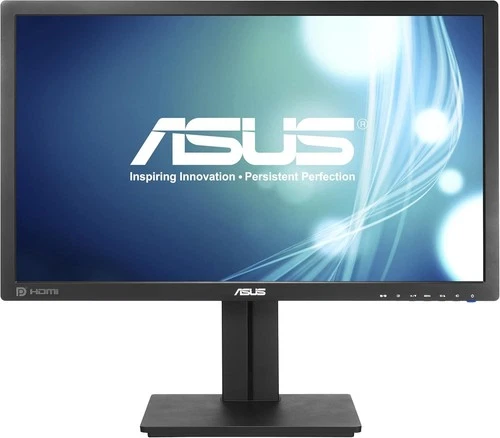
ASUS PB278Q 27-inch 1440p IPS monitor$99

ASUS PB278Q 27-inch 1440p IPS monitor

ASUS PB278Q 27-inch 1440p IPS — $99 The cheapest route to 1440p on this list, and the one to buy if you are building a first proper gaming setup on a strict budget.

Buy it ifBuy it if you want sharp text and more screen for work and general use, and you would rather spend nothing on the monitor and everything on the game. Look for a listing that states the refresh rate and whether the stand is adjustable.
See the live listing →
KTC H27T27S 27-inch QHD 144Hz gaming monitor$119

KTC H27T27S 27-inch QHD 144Hz gaming monitor

KTC H27T27S 27-inch 1440p 144Hz — $119 Our pick as the best gaming monitor under $300 overall, and the single most striking value in the guide.

Buy it ifBuy it if you play competitive or fast-paced games on a mid-range GPU and you want the smoothest picture per dollar available. Ask the seller for a dead-pixel photo before you pay.
See the live listing →
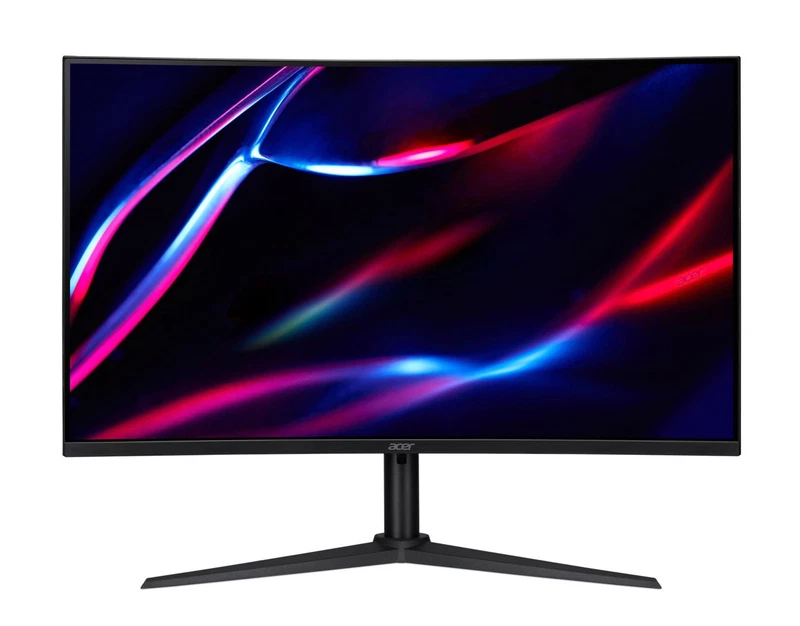
Acer XZ320QU 31.5-inch curved gaming monitor$148.05

Acer XZ320QU 31.5-inch curved gaming monitor

Acer XZ320QU 31.5-inch 180Hz curved 1440p refurb — $148.05 The highest refresh rate in the roundup, and the one to consider if your GPU can feed it.

Buy it ifBuy it if you have a capable GPU, you sit close to a wide screen, and you accept refurb risk in exchange for the highest refresh rate in the guide.
See the live listing →
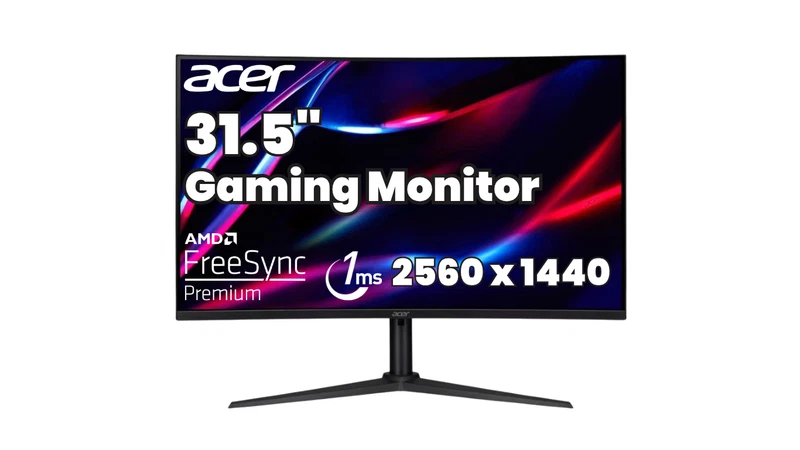
Acer Nitro 31.5-inch curved gaming monitor$156.44

Acer Nitro 31.5-inch curved gaming monitor

Acer Nitro 31.5-inch 144Hz curved 1440p refurb — $156.44 The pragmatic version of the Acer above, and the safer pick of the two refurb units.

Buy it ifBuy it if you want 1440p and high refresh without stretching above $160, and you care more about contrast than about having the absolute highest refresh rate. Ask whether the seller offers a return window on the panel.
See the live listing →
Z-EDGE 34-inch 3440x1440 165Hz curved ultrawide$199.99

Z-EDGE 34-inch 3440x1440 165Hz curved ultrawide

Z-EDGE 34-inch 3440x1440 165Hz ultrawide — $199.99 The best ultrawide under $300, and the only 21:9 screen in the guide.

Buy it ifBuy it if you sit at a proper desk, you play racing, flight or space games, and you can afford to be a little outside the sub-$150 tier. Our 4K vs 144Hz vs ultrawide monitor guide goes into the resolution maths in more detail if you are still undecided.
See the live listing →
LG UltraGear 32GN50T-B 32-inch FHD 165Hz gaming monitor$250

LG UltraGear 32GN50T-B 32-inch FHD 165Hz gaming monitor

LG UltraGear 32GN50T-B 32-inch 165Hz 1080p — $250 The biggest screen here, and the one built for distance rather than for a desk.

Buy it ifBuy it if you game on a sofa, you want the largest screen you can get for under $300, and you are pairing it with a console rather than a PC at a tight desk. If you sit at a desk, buy a 27-inch 1440p instead and keep the difference.
See the live listing →
Fujitsu B22W-7 22-inch LED monitor$34.45

Fujitsu B22W-7 22-inch LED monitor

Fujitsu B22W-7 22-inch 1680x1050 — $34.45 The budget option, and the one to mention for a second screen rather than a primary one.

Buy it ifBuy it if you need a second screen for a very small budget and you are not expecting it to run games.
See the live listing →
Part 3

Just over $300: what the extra money buys

Sometimes the right answer is that the best deal in this guide is the one that costs slightly more than $300, because the used and refurbished market has a sharper step above the budget line.

The clearest example is the , listed at $399.99. That is a 3840x2160 panel at 144Hz, and it is the only true 4K high-refresh monitor in this guide. It changes the argument entirely: you get 4K sharpness at a 27-inch size, 144Hz, and a panel from a mainstream brand. If you can find $150 more than the budget line, this is the single best monitor pick we found, and our 4K versus 144Hz versus ultrawide comparison explains why 4K at 144Hz is the spec combination most worth stretching for.

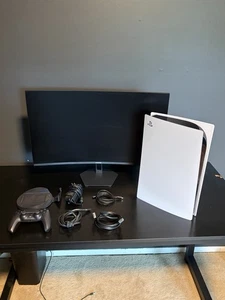
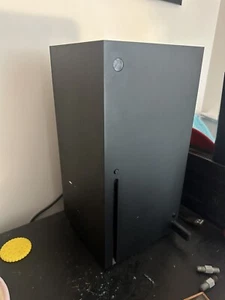
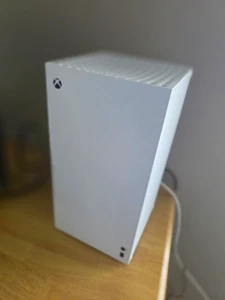
There is also a genuine trend of consoles being sold bundled with monitors, which can be better value than a stand-alone panel if you do not already own a display. A was listed at $425 including a PS5 disc edition, a controller, a 27-inch curved 1080p monitor rated at 200Hz with built-in speakers, the original stand and all power and HDMI cables. A bundle was listed at $550 with the console, two controllers, a headset and six games. Higher still, a was listed at $679.99 including a 32-inch LG curved display and an Astro A10 headset.

Read those bundle descriptions carefully rather than assuming. One is listed as used with the console tested and functional and the monitor shipped separately for protection; another is described as fully functional, tested and reset to factory settings. Bundle pricing is a real deal, but the warranty on a bundle is only ever as good as the weakest component, and the monitor is almost always the weakest link.

Sony PS5 disc console with 27-inch curved monitor bundle$425.0

Sony PS5 disc console with 27-inch curved monitor bundle

eBay Selling a complete PS5 and curved monitor setup. Everything works perfectly, looks great, and has been factory reset. I took off the PS5 plates and deep-cleaned the internal fan and vents, so it runs completely quiet and cool. What you get: - PS5 Disc Edi

See the live listing →
Xbox Series X with Samsung curved monitor$550.0

Xbox Series X with Samsung curved monitor

eBay Take gaming to the next level with the newest Xbox and a curved Samsung monitor for crispy image! •Xbox series x console w/ all cables • Samsung curved monitor •wireless controller •wired controller the lights up • controller port •headset rig 3 • 6 games

See the live listing →
Xbox Series X digital bundle with an LG 32-inch gaming monitor$679.99

Xbox Series X digital bundle with an LG 32-inch gaming monitor

eBay Like New / Excellent Condition: Both the console and monitor were purchased roughly 6 months ago, lightly used, and meticulously cared for in a smoke-free home. Everything is fully functional, tested, and reset to factory settings—ready to plug and play.

See the live listing →
Part 4

Spend the leftover $20-40 on cables, arms and cooling

With a $99 to $250 monitor, the accessories you can add for the price of a large takeaway are the highest-value part of the whole purchase. Several of them are the difference between a monitor that works well and one that works as advertised.

Cables: the cheapest fix for a monitor that seems slow

The most common disappointment with a new high-refresh monitor is that it runs at 60Hz. Nine times out of ten the cable is the cause, not the panel. The safest pick is a DisplayPort cable rated for the resolution and refresh you need, such as the at $12.99, or the at $8.09 for a console-to-monitor connection.

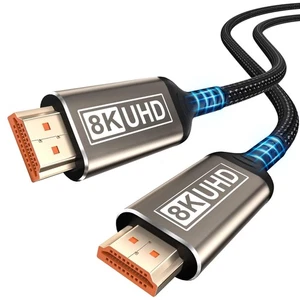
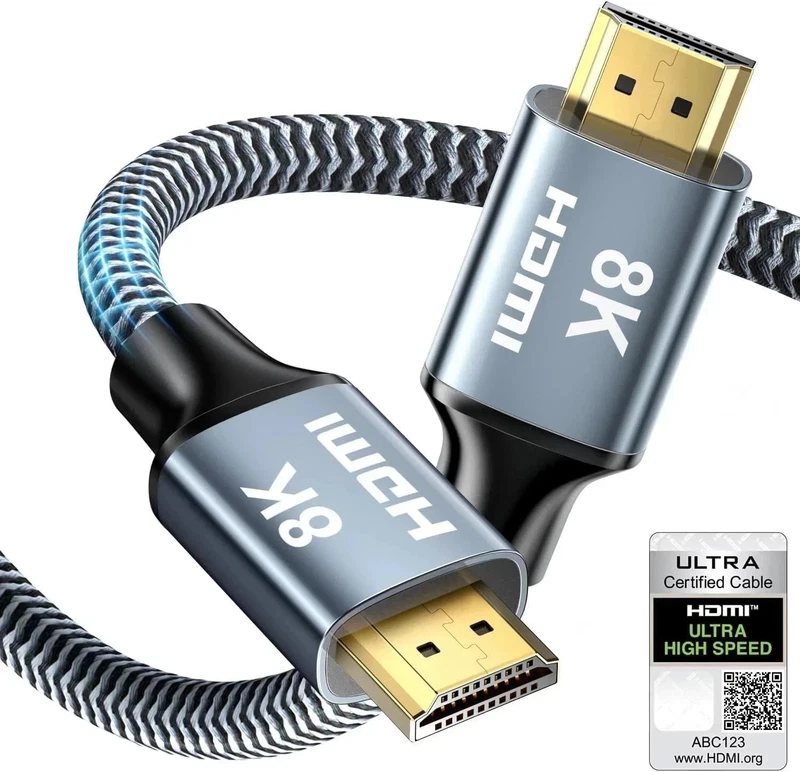
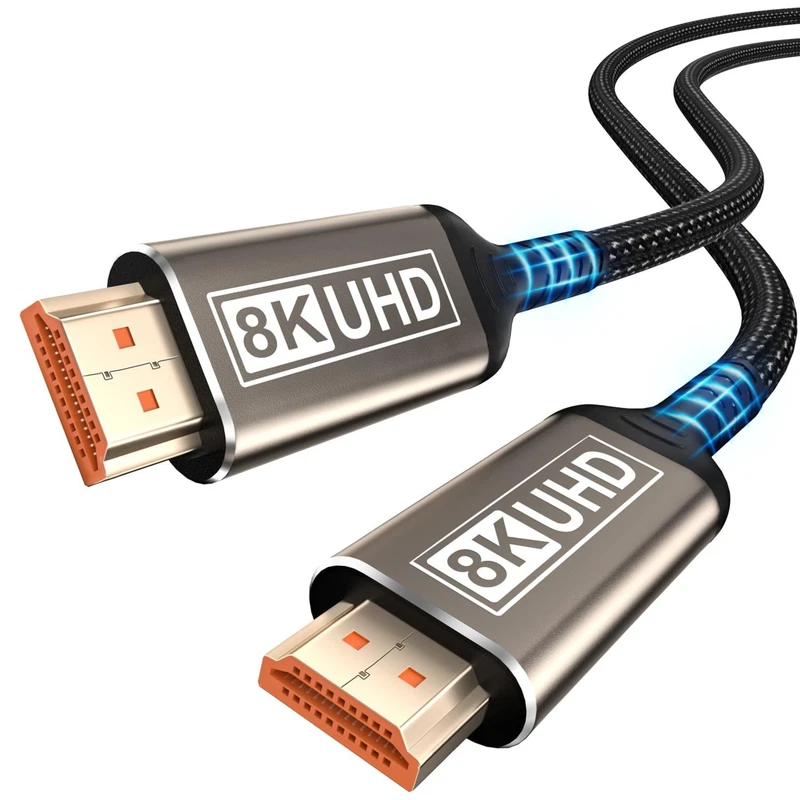
For a PS5 or an Xbox Series X driving a 4K panel, an at $6.76 is the right specification, listing dynamic HDR, HDR10, HDCP 2.2 and 2.3, VRR and ALLM support. If the console sits across the room, a at $14.49 covers the same ground. For a laptop, a at $8.28 is the shorter, simpler option.

Monitor arms: free desk space and a better viewing height

A stock stand is the worst part of most budget monitors. A monitor arm fixes that for less than the price of the cable you just bought, and the arms on eBay right now are remarkably cheap.

The at $30.80 supports up to 9kg, adjusts with one hand and offers tilt, swivel, rotation and height adjustment. The at $24.11 covers 17 to 40 inch flat and curved screens, which means one arm suits every panel in this guide including the 34-inch ultrawide. For a smaller screen on a tight desk, the at $16.73 fits 13 to 35 inch flat or curved panels, holds up to 10kg and takes both 75x75mm and 100x100mm VESA mounts.

Check the VESA pattern of your monitor before you buy any of them. If you are running two or three screens, a at $43.52 is a better deal than three single arms, and its side-by-side arrangement is the classic way to put a game on one screen and a chat window or a guide on the others.

The small things worth adding

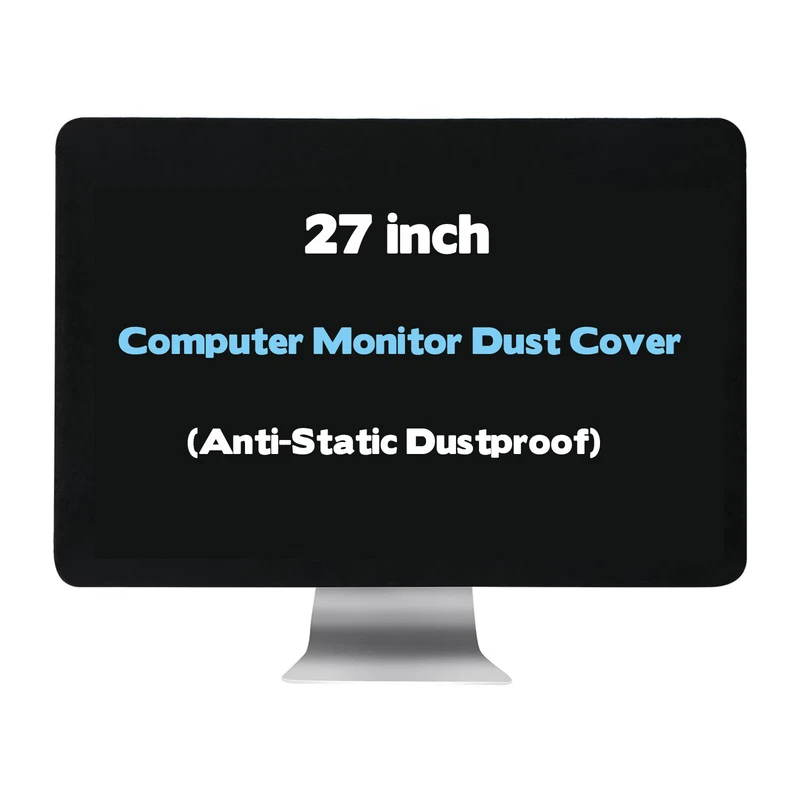
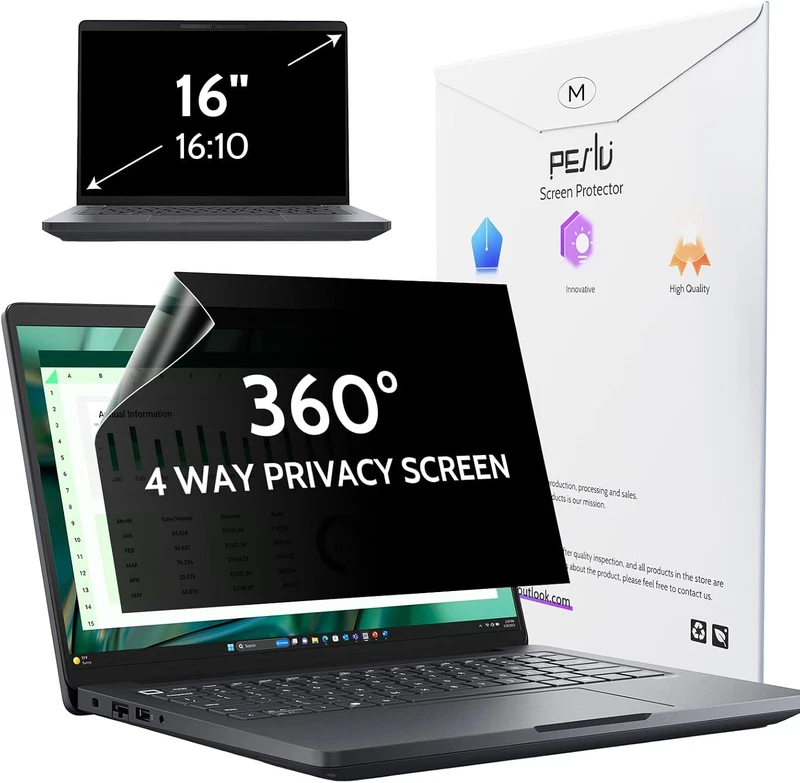
A at $15.99 does nothing for latency but protects an expensive panel from dust and scratches in a shared room, and the same listing exists as a velvet protective sleeve. If you work next to a window, a at $46.83 blocks viewing angles beyond 30 degrees and cuts reflected light, which matters more in a bright room than a higher contrast ratio ever will.

For a refurbished or high-refresh panel that has been running hot, a at $40.27 is a cheap way to keep a panel at a stable temperature across a long session. And if you are setting a second-hand office panel up from scratch, a at $13.99 is exactly the part that goes missing. If you are still deciding which console to pair a new panel with, our PS5 versus Xbox versus Nintendo Switch comparison covers the output side of the same decision.

6-foot USB-C to DisplayPort cable rated 4K at 60Hz and 2K at 165Hz$12.99

6-foot USB-C to DisplayPort cable rated 4K at 60Hz and 2K at 165Hz

eBay 6FT USB C to DisplayPort Cable for Home Office (4K@60Hz, 2K@165Hz), uni Sturdy Aluminum DisplayPort to USB C Cable [Thunderbolt 3 Compatible] for MacBook Pro, MacBook Air/iPad Pro 2020/2018, XPS 15/13 About this item 【For Home Office】No adapter, driver, o

See the live listing →
HDMI 2.1 Ultra High Speed 48Gbps braided cable$6.76

HDMI 2.1 Ultra High Speed 48Gbps braided cable

eBay This Ultra High Speed HDMI 2.1 cable is designed for high-performance audio and video transmission , making it ideal for modern TVs, gaming consoles, monitors, and home entertainment systems. It delivers smooth visuals and immersive sound for streaming, g

See the live listing →
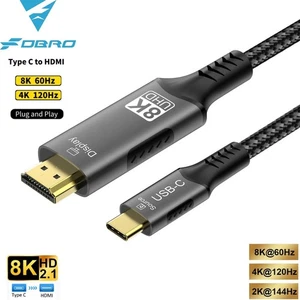
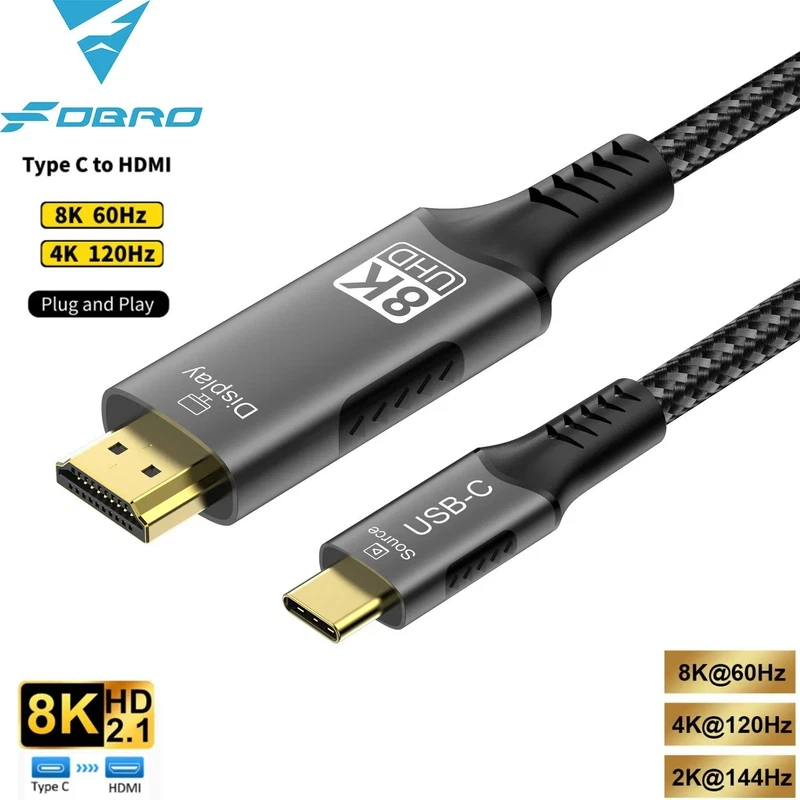
USB-C to HDMI cable rated 4K at 120Hz$8.28

USB-C to HDMI cable rated 4K at 120Hz

eBay USB C to HDMI Cable 8K@60Hz 4K@120Hz Type C to HDMI-Compatible HDTV Cable for TV Converter MacBook Air iPad USB-C HDMI Adapter Description Name: FDBRO Type C to HDMI cable Model: USB3.1 to 8K HDMI Length: 1M,2M,3M Version: 8K@60Hz/4K@120Hz 4K@60Hz 4K@30Hz

See the live listing →
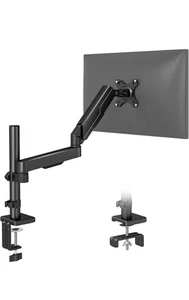
HUANUO HNSS8 gas spring monitor mount$30.8

HUANUO HNSS8 gas spring monitor mount

eBay HUANUO Single Monitor Gas Spring Desk Mount – Heavy Duty Adjustable Arm (Up to 9kg) Upgrade your workspace with the HUANUO Single Monitor Gas Spring Mount, designed for smooth adjustability, strong support, and a clean, ergonomic setup. This heavy-duty mo

See the live listing →
TVON single monitor arm desk mount$16.73

TVON single monitor arm desk mount

eBay brand new, never been used, comes in original box ( been opened ), complete kit + installation instructions. fast dispatch # 17 C TVON Single Monitor Arm Desk Mount for 13-35 Inch Flat or Curved Screens, Tall Height Adjustable Monitor Stand Holds up to 10

See the live listing →
ELIVED triple monitor arm for 13 to 27 inch displays$43.52

ELIVED triple monitor arm for 13 to 27 inch displays

eBay brand new, never been used comes in original box ( been opened), the ox have some imperfections, quality of the item is not affected. #72 C ELIVED Triple Monitor Arms for 13-27 inch Screen, for Surround Viewing Adjustable Full Motion 3 Monitor Desk Mount,

See the live listing →
360-degree four-way privacy screen for 16-inch displays$46.83

360-degree four-way privacy screen for 16-inch displays

eBay 360° 4 Way Laptop Privacy Screen for 16 Inch 16:10 Aspect Ratio Computer Monitor, Anti Glare Blue Light Spy Filter Private Cover, Bubble-Free Black Security Protector Compatible with laptops having a displayable image area of 13.57" width, 8.48" height, a

See the live listing →
Part 5

Which gaming monitor under $300 should you buy?

Here is the whole roundup on one page, with the reason to pick each rather than a ranking, because the right answer genuinely depends on your GPU, your desk and your games.

MonitorPrice (30 Sep 2026)Panel and refreshBuy it for
$11927-inch 1440p, 144Hz, 4000:1Best all-round pick for fast games on a mid-range GPU
ASUS PB278Q 27-inch 1440p IPS$9927-inch 1440p IPS, DP/HDMI/DVICheapest route to 1440p, best for work plus gaming
Acer XZ320QU 31.5-inch curved 1440p$148.0531.5-inch 1440p, 180Hz, 250 nits, refurbHighest refresh rate under $300
Acer Nitro 31.5-inch curved 1440p$156.4431.5-inch 1440p VA, 144Hz, refurbDeeper blacks for dark games, safer 144Hz choice
Z-EDGE 34-inch 3440x1440 165Hz$199.9934-inch 21:9 ultrawide, 165Hz, HDMI and DPRacing, flight and space sims on a wide desk
LG UltraGear 32GN50T-B 32-inch$25032-inch 1080p, 165Hz, no cablesCouch play on a console, biggest screen in the guide
Fujitsu B22W-7 22-inch$34.4522-inch 1680x1050, DisplayPort and DVI, usedA cheap second screen, not a gaming monitor
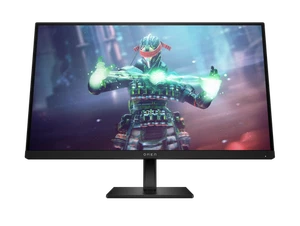
OMEN by HP 27-inch 4K 144Hz$399.9927-inch 4K UHD, 144HzThe best monitor overall, if you can stretch the budget

Pick the KTC H27T27S at $119 if you want one monitor that does everything and you play anything that rewards reaction time. It is the highest-refresh, highest-resolution combination at the lowest price on this list, and $119 leaves enough of your budget for a cable and an arm.

Pick the Acer XZ320QU at $148.05 if you have a GPU that can feed 180fps and you sit close to a wide screen. Just accept that it is a refurbished unit and that 250 nits is not a bright panel.

Pick the Z-EDGE ultrawide at $199.99 if width is what you are missing. Half the games you own will not use the extra pixels, so be honest with yourself about whether you are a sim and racing player before spending the extra eighty dollars over the KTC.

Pick the LG UltraGear at $250 if the screen is going on a stand in a living room and is driven by a console. Do not buy it for a desk, and remember it ships without cables.

Pick the ASUS PB278Q at $99 if the monitor is primarily a work surface that you also game on, or if you are buying a first 1440p screen and want to keep the rest of the money.

Part 6

Honest pricing, and where these deals come from

Every price in this guide was read directly from a live eBay listing on 30 September 2026. None of them are averages, historical lows, or prices we expect to see again. eBay prices change and vary by seller, condition and shipping, and the used and refurbished market moves faster than the new one.

Three practical rules for buying any of these. First, ask the seller for a photograph of the actual screen powered on, especially on the two refurb units and the used Fujitsu, because a panel blemish is invisible in a stock image and obvious in a real one. Second, check the return window before you pay, and prefer sellers who have one. Third, price the cables into your budget from the start, because a $119 monitor that ends up running at 60Hz because of the cable it came with was not a saving.

For a broader look at console pricing and the wider accessories market, our gaming console and accessories deals roundup tracks the same listings across PS5, Xbox and Switch hardware. The bottom line on monitors under $300 is that the interesting buying has shifted to used and refurbished stock: a 144Hz 1440p panel at $119, a 180Hz panel at $148, and a 165Hz ultrawide at $199.99 are all realistic today, and none of them need to be bought blind if you ask questions first.

Questions

Frequently asked questions

Is a 144Hz monitor worth it if my GPU only pushes 100fps?

Yes, and that is exactly the case where a high-refresh panel still helps. Anything above your typical frame rate shows you the extra frames you are already generating, cuts perceived input lag, and makes menu navigation and camera movement feel smoother. The bigger mistake is buying a 165Hz or 180Hz screen and then running a cable or adapter mode that caps it at 60Hz.

Should I buy a refurbished gaming monitor to save money?

Refurbished is the cheapest route to a high-refresh panel, and the two Acer listings in this roundup are refurb units. Check that the listing states the panel is tested, confirm the return window before you buy, and budget for a dead-pixel policy. Panel defects are the main failure mode, so a seller who answers questions quickly is worth more than one who does not.

Do I need a 1440p monitor instead of 1080p under $300?

For most PC players, yes. At 27 inches, 1440p gives noticeably more desktop space and much cleaner text and icons than 1080p, and a 144Hz 1440p panel such as the KTC H27T27S at $119 is the value pick of this list. A 32-inch 1080p screen like the LG UltraGear is better for couch play and large text than for a tight desk setup.

What cable do I need to get the full refresh rate?

Use a cable that matches the port. DisplayPort is the safe choice for high refresh on PC, and an HDMI 2.1 Ultra High Speed cable covers 4K at high refresh from a console. Cheap adapters and long unbranded leads are the most common reason a 165Hz monitor shows up as 60Hz, and the cables linked in this guide are all real listings priced well under $20.

How much should I expect to pay for a gaming monitor today?

Prices confirmed 30 September 2026 show new 144Hz 1440p panels landing around $119, refurb 1440p high-refresh panels near $150, and a 34-inch 165Hz ultrawide just under $200. eBay prices change and vary by seller, condition and shipping, so treat every number here as a starting point rather than a guaranteed price.