Tahabay icon tahabay

Gaming Controller Buying Guide: Wired vs Wireless and More

Our gaming controller buying guide breaks down wired vs wireless, compatibility, features and budget picks so you choose the right pad.

Part 1

Why a Gaming Controller Buying Guide Saves You Money

A controller is the part of a setup your hands touch for hundreds of hours, yet it is often the last thing people research. That is a mistake, because the gap between a good pad and a disappointing one is felt in every session. This gaming controller buying guide walks through the decisions that matter: connection type, compatibility, comfort, features, and how to judge condition when you shop the second-hand market.

Prices confirmed October 10, 2026. Remember that eBay prices change and vary by seller and condition, so check the live listing before you buy. If you are still choosing a platform to build around, our PS5 vs Xbox vs Switch comparison provides useful context for the pads featured below.

The good news is that the market is deep. You can spend under twenty dollars on a charging dock, around fifty on a tested current-gen pad, or a few hundred on a collector-grade retro bundle. The trick is knowing which category fits your habits.

Think of the decision as three layers. First comes function: does the pad connect to your system and perform well. Second comes comfort: does it feel right after a two-hour session. Third comes polish: haptics, themed finishes, and extras. Most buyers talk about the third layer and forget the first two, which is exactly how people end up with an expensive pad they rarely enjoy.

Part 2

Wired vs Wireless: The Core Decision

Everything else follows from this choice. A wired controller connects over USB, draws no battery, and typically reports input a fraction faster. That makes a wired pad attractive for fighting games, racing, and anything where split-second timing decides the round. The trade-off is a cable that tethers you to the console.

Wireless is about freedom. You can sit back on the couch, pass a pad between friends, and never trip over a cord. The cost is battery management and, in rare cases, a touch more latency. The practical answer for many players is to own one of each: a wired pad for serious play and a wireless pad for relaxed sessions.

A wired example worth noting is the , a retro-flavored option sold used. For players who simply want current-gen wireless, a delivers the full feature set at a used price.

Latency deserves a closer look because it is widely misunderstood. For most players the difference between wired and wireless is imperceptible, and convenience wins. For tournament-level play, however, even a few milliseconds can matter, and a wired connection removes one variable from the equation entirely.

Battery life is the other half of the story. Wireless pads need regular charging, which is why a dock becomes part of this decision. If you dislike stopping to charge, either go wired or pair a wireless pad with a dock so it is always ready. There is no wrong answer, only a trade-off you should make on purpose.

Cable quality is a small but real factor on the wired side. A worn or flimsy cable can introduce dropouts that feel like input lag, so it pays to use a good USB lead and a port that is not shared with a power-hungry accessory. Wireless dongles have the same weakness, since obstructions and interference can cause stutter, so keep the receiver clear of metal and other nearby radios.

A Note on Hybrid Setups

Many modern pads can run wired or wireless depending on how you connect them, which makes them flexible across a room or a tournament desk. When in doubt, choose a pad that supports both modes so your setup can adapt over time rather than locking you into one style.

ENIX Wingman wired gaming controller for PC and console$230.25

ENIX Wingman wired gaming controller for PC and console

eBay ENIX E-G116 Wingman Tape Version Gaming Controller for PC & Console Key Features ✔ Experience classic gaming with the ENIX E-G116 Wingman Tape Version Gaming Controller, designed for PC and console use. Released in 1984, this vintage controller offers nos

See the live listing →
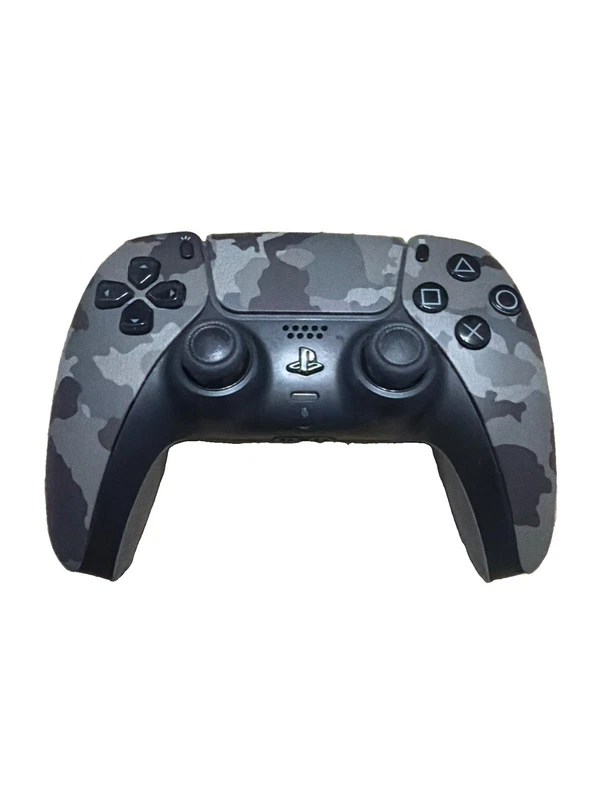
used OEM Sony PS5 DualSense wireless controller$48.59

used OEM Sony PS5 DualSense wireless controller

eBay What you see what you get OEM control Very good condition Fully tested Free shipping A-3 K40 #used #oem #sony #playstation #ps5 #dualsense #ad #tahabay #ebay

See the live listing →
Part 3

Compatibility: Which Pad Works With Which Platform

Compatibility is where hopeful buyers get burned. A controller that looks universal may be locked to one ecosystem, and a pad that works on PC might miss features on a console. Before you fall for a listing, confirm the supported platforms, the connectors, and whether any adapters are required.

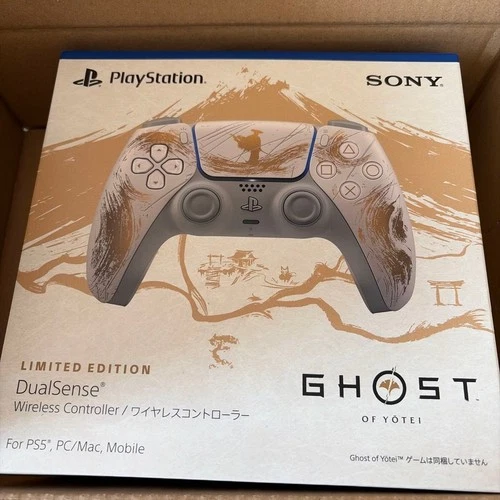
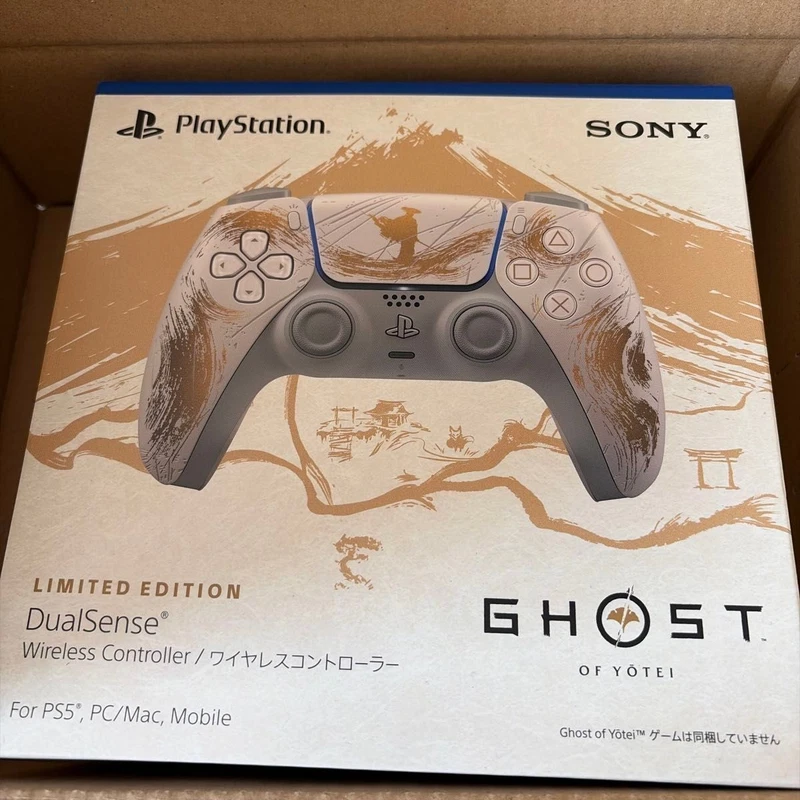
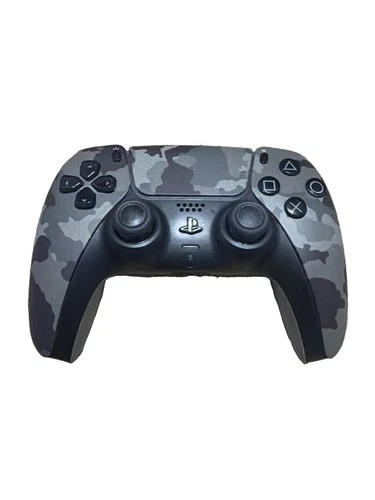
PlayStation players get the most out of a DualSense. Beyond the standard pad, a themed option like the adds collectible appeal without sacrificing compatibility. If you want an official pad fresh from the box, keep an eye out for sealed listings rather than open packages.

PC is the most forgiving platform of all. Almost any modern pad will work, and many let you remap buttons through system software. That flexibility is why PC players can afford to be brand-agnostic, while console owners should stay within their ecosystem for the smoothest experience.

Adapters and converters are the escape hatch when a pad refuses to talk to your system, but they add a layer of complexity and cost. Where possible, choose a controller that supports your platform natively, and reserve adapters for unusual pairings or older hardware that no longer receives modern drivers.

Retro and Multi-System Gamepads

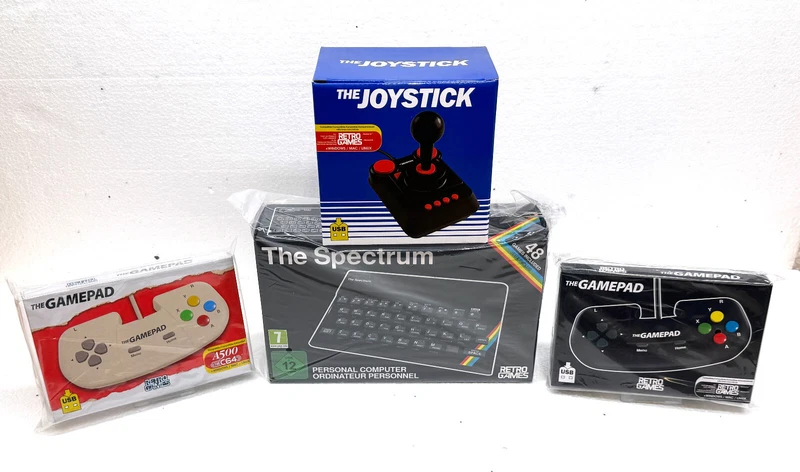
Retro players have their own ecosystem. Plug-and-play sets bundle the console and the pad together, which removes compatibility guesswork entirely. A is a self-contained way to relive classic titles, while a packages a home-computer revival with compatible input in one box.

For tinkerers, a offers vintage hardware to repair or display. These are sold as-is, so they suit collectors more than players who want a guaranteed daily driver.

Ghost of Yotei Limited Edition gold PS5 DualSense controller$119.99

Ghost of Yotei Limited Edition gold PS5 DualSense controller

eBay PS5 DualSense Wireless Controller Ghost of Yotei Limited Edition Gold New Japan Description - About this item: Experience immersive next-generation gaming with this Sony PS5 DualSense Wireless Controller Ghost of Yotei Gold Limited Edition, exclusively re

See the live listing →
4K HDMI retro game console with gamepad controllers$55.0

4K HDMI retro game console with gamepad controllers

eBay Product description 20,000+ Retro Games – Relive the Classics Relive the golden days of gaming with our retro console! Featuring 20,000+ classic games and a 64GB TF card preloaded for instant fun. No internet required – just plug it into your TV and power

See the live listing →
Spectrum Bundle with 48 games and USB gamepads$345.77

Spectrum Bundle with 48 games and USB gamepads

eBay 🎮 The Spectrum Konsole + Zubehörpaket Mit THEGAMEPAD/ A500 Joypad BLACK & CREAM & THEC64 Joystick | Retro Gaming Set 🕹️✨ Entdecke den legendären Heimcomputer The Spectrum in neuem Glanz! Dieses Set enthält die überarbeitete Neuauflage der kultigen ZX Spec

See the live listing →
lot of Atari Joystick Hot Wheels retro gaming controllers$34.99

lot of Atari Joystick Hot Wheels retro gaming controllers

eBay Retro Plug-and-Play Gaming Controllers Lot — UNTESTED Bundle of assorted retro TV plug-and-play controllers. These are older units and have not been tested, so they are being sold AS-IS for parts, repair, or collecting. Great for gamers, collectors, modde

See the live listing →
Part 4

Features That Actually Matter

Marketing lists are long, but only a few features change how a controller feels day to day.

  • Sticks and triggers. Smooth, accurate sticks and progressive triggers matter more than any badge. Stick drift is the most common failure, so quality here is everything.
  • Haptic feedback and vibration. Modern pads like the DualSense use feedback to add texture and resistance, which can make a game feel new again.
  • Ergonomics. A pad that fits your hands beats a feature-packed one that cramps them. Button placement and grip shape are personal.
  • Connection and battery. Consider how long a charge lasts and whether the pad supports your preferred connection.
  • Extra inputs. Back paddles and profile switching are valuable for competitive players but add cost, and many casual players never touch them.

Notice that headline features on a spec sheet rarely decide whether you enjoy a pad. The fundamentals, comfort and reliability, almost always do. Spend your budget there before chasing extras.

It also helps to separate hardware features from software features. Remapping and profiles often live in a companion app and cost nothing extra, while mechanical differences like trigger travel and stick tension are built into the device and cannot be changed later. Pay for the physical qualities, and treat software conveniences as a bonus.

Durability is the feature nobody advertises and everybody notices. Buttons should feel crisp rather than mushy, the shell should not flex under pressure, and the sticks should return to center cleanly. If a listing mentions a warranty or a no-questions return, treat that as a genuine feature rather than fine print.

Part 5

Retro, Alternative and Charging Options

Beyond the mainstream pads, the accessories can make or break a setup. A controller is only as useful as its battery life, and a dock solves that quietly.

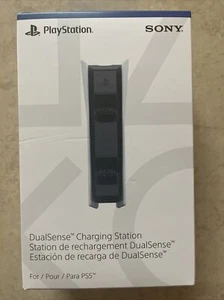
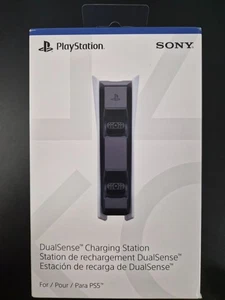
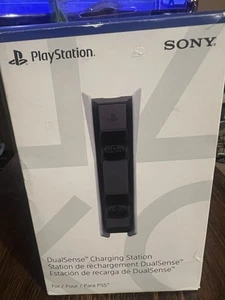
If you want a matching official dock, a arrives ready to charge two pads at once. Budget-minded buyers can start with a or a , both of which do the same job for less.

Mid-range official options include a and a , while the keeps things affordable. If features matter more than branding, a or a add fast charging and indicators for a modest price.

Docks are one of the rare accessories that pay for themselves in convenience. Once pads live on a stand, the nightly search for a charging cable simply disappears, and both players always start a session fully charged.

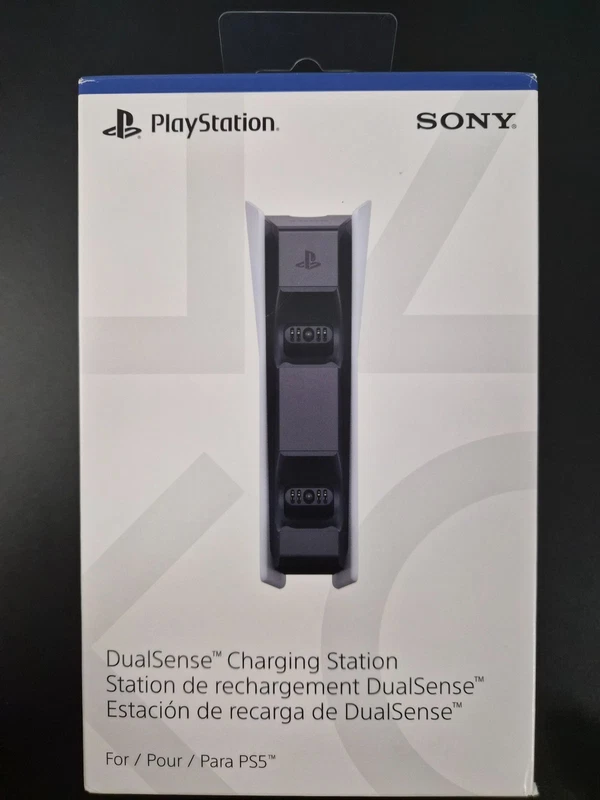
sealed official PS5 DualSense charging station$54.95

sealed official PS5 DualSense charging station

eBay Sony Playstation 5 PS5 DualSense Charging Station Official Sealed OEM IN HAND. Condition is "New". Shipped with USPS Parcel Select Ground. #sony #playstation #ps5 #dualsense #charging #station #ad #tahabay #ebay

See the live listing →
white Sony PS5 DualSense charging station dock$14.3

white Sony PS5 DualSense charging station dock

eBay Sony PlayStation 5 DualSense Charging Station Dock - White Used and in excellent condition. Comes with original box, AC Adaptor, AC Power Code and Instruction Manual. Features: Compatible with DualSense wireless controller and DualSense Edge wireless cont

See the live listing →
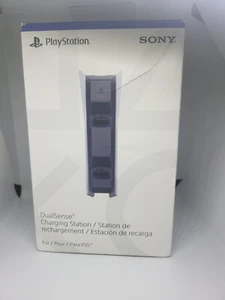
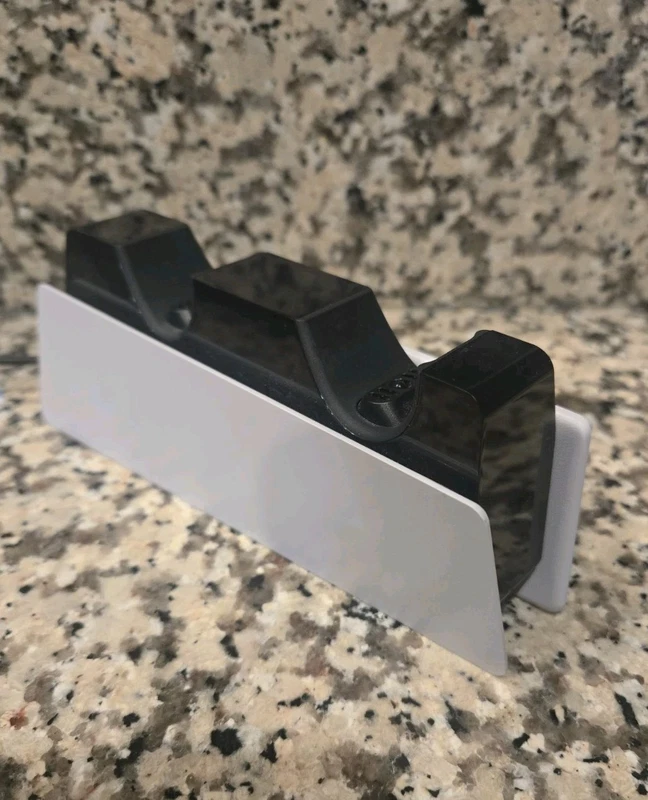
tested Sony DualSense charging dock in white$14

tested Sony DualSense charging dock in white

eBay CIB DualSense charging station. Front of the box is ripped the unit is tested and working. The Sony PlayStation 5 DualSense Charging Dock in White is a wireless charging dock designed specifically for the Sony PlayStation 5 controller. Made of plastic wit

See the live listing →
Sony DualSense charging dock for PlayStation 5$22.1

Sony DualSense charging dock for PlayStation 5

eBay The Sony PlayStation 5 DualSense Charging Dock in White is a sleek and efficient charging solution for your Sony PlayStation 5 controller. Made of durable plastic, this docking station is designed to charge your controller wirelessly, featuring a glossy f

See the live listing →
white Sony PS5 DualSense charging dock$23

white Sony PS5 DualSense charging dock

eBay Item is new. Box has been opened. 2 Controller max. #sony #playstation #dualsense #charging #dock #white #ad #tahabay #ebay

See the live listing →
original Sony PS5 DualSense charging station$19.99

original Sony PS5 DualSense charging station

eBay The Original Sony Playstation 5 DualSense Charging Station in White is a sleek and efficient charging dock designed specifically for Sony PlayStation 5 controllers. The DualSense Charging Station is a convenient and stylish addition to any gaming setup, w

See the live listing →
PS5 controller charging station and DualSense dock$40.84

PS5 controller charging station and DualSense dock

eBay Convenient and Safe Charging Device Experience hassle-free charging with our innovative charging station. This device allows you to charge your PS5 remote control even when the PlayStation 5 console is turned off. Simply plug it into a standard power stri

See the live listing →
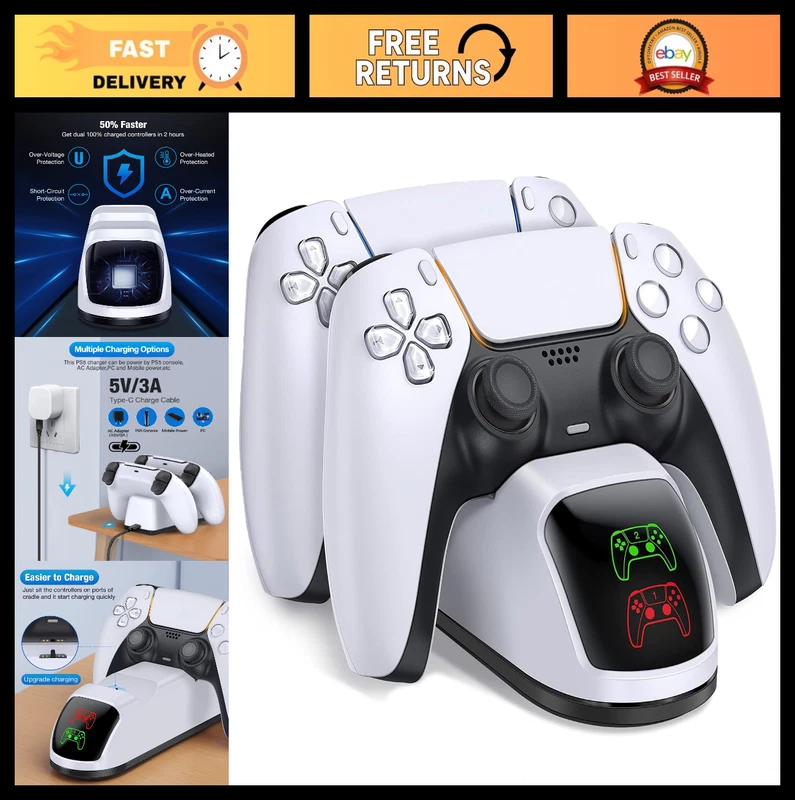
dual fast PS5 DualSense charging station$17.85

dual fast PS5 DualSense charging station

eBay Package includes: 1 x PS5 Charging Dock, 1×31-inch Charging cable, 1 x User Manual. 【Special Designed for PS5 Controller DualSense and DualSense Edge】 Specially designed to simultaneously charge up to two DualSense wireless controllers, this charger stati

See the live listing →
Part 6

Condition, Price and Where to Buy

The final piece of this gaming controller buying guide is judging what you are actually paying for. Condition labels on eBay range from new and sealed to used and as-is, and each carries a different risk and reward.

New and sealed items carry almost no risk, which is why they command the highest prices. Open-box and used pads often strike the best balance: genuine hardware, real savings, and usually a working guarantee if you buy from a reputable seller. As-is listings are cheapest and best reserved for repair projects or collectors.

When you shop, ask three questions. Does the listing show the actual item? Is the return policy clear? And does the price make sense next to comparable listings? Answer those and you will rarely go wrong.

It is also worth setting a mental price ceiling before you browse. Knowing the most you are willing to spend on a pad and a dock stops impulse buys and makes it easy to spot a genuinely good deal when it appears. A controller that is fifty dollars below your ceiling is more satisfying than one you talked yourself into.

Timing matters too. Listings for popular pads can vanish quickly, while less glamorous colors sit longer and sometimes sell for less. If you are flexible on a finish, you can often save by choosing a less popular variant. Do not wait indefinitely for a better price, though, because a fair deal today beats a perfect deal that never arrives.

Build your setup in layers. Start with one solid pad that fits your platform, add a dock so it is always ready, and only then consider a themed or retro extra. That approach keeps spending reasonable while ensuring every purchase earns its place. Prices confirmed October 10, 2026, and because eBay prices change and vary by seller and condition, it pays to compare a few listings before you click buy.

Questions

Frequently asked questions

Is wired or wireless better for a gaming controller?

Wired controllers avoid battery drain and reduce input lag, which suits competitive play. Wireless controllers offer freedom and cleaner setups for casual and couch co-op gaming. Many people own one of each.

Will a controller work on more than one platform?

It depends on the model. Some pads work across PC, mobile, and specific consoles, while others are locked to a single brand. Always check the listing for the supported platforms before buying.

What features should I look for in a controller?

Focus on comfortable ergonomics, responsive triggers and sticks, vibration or haptic feedback, and a reliable connection. Extras like back buttons and customizable profiles matter mainly to serious players.

Is it worth buying a used or open-box controller?

Often yes. A used or open-box pad can cost far less than new while working perfectly. Confirm that sticks, triggers, and charging work, and prefer sellers who show real photos.

Do I need a charging dock for a wireless controller?

A dock is not essential, but it keeps pads charged and organized. Official and third-party DualSense docks on eBay regularly sell for around $14 to $55, making them a low-cost upgrade.