Tahabay icon tahabay

Free Games on Tahabay: 11 Browser Games, No Download, No Sign-Up

Every free game on Tahabay in one place: chess, sudoku, memory, fruit catching, puzzles and more. Play instantly in your browser — no download, no account, no limits.

Part 1

Why an eBay store now has games on it

It is a fair question: this is a store that sells headphones and tools, and now there is chess on it. The answer is simple. Most people do not arrive at a store looking for one specific product. They browse. And if a site is pleasant to spend time on, they come back to it. A five-minute game between two scrolls is not an add-on service. It is the reason for the return.

But the interesting part is not the fun. It is what we actually built: no download, no sign-up, and no limits. We do not ask for an email address. We do not ask you to create an account. We do not put a timer on you that ends after three rounds. You open the game and you play, until you decide to stop. That single constraint is the entire design, and every technical decision after it followed from there.

Every game that exists on this site is listed below, grouped by type, with a short description and a direct link to play it. Everything here is genuinely free, and nothing will be charged to you at any point.

We may earn a commission from purchases made through our links, at no extra cost to you.

Part 2

Every game on Tahabay

This list updates as games are added. Right now everything below is free, browser-based and needs no installation step.

Board games and thinking games

If you like games where the thinking comes before the moving, these three are your starting point. None of them needs instructions, because the rules are obvious within the first minute.

  • Chess — full chess against the computer with four difficulty levels, undo, and a board you can review before committing to every move. Best if you want a long session on your own and want control over how hard the opponent plays rather than leaving it to chance. One practical piece of advice: play the first three rounds slowly on the easiest level, because jumping up a level before you understand your own mistakes doubles the time without adding anything.
  • Sudoku — sudoku in three difficulties, with instant checking on every row, column and box. You can finish a puzzle in one sitting if you want to, because a wrong entry shows up immediately rather than twenty minutes later. That instant feedback is what turns it from guessing into a process: every incorrect digit disappears at once, which stops you repeating the same mistake across the rest of the grid.
  • Math Quest — fast mental arithmetic under the clock. Good as a short daily drill, and your best score is kept so you are competing against your own last attempt rather than against strangers. This is the one people tend to come back to for a practical reason: it trains reading speed and calculation speed at the same time, in something that does not get boring after five minutes.

Memory and focus games

Memory is a trainable habit. These three are the ones people come back to most, because they depend on concentration rather than reflexes or speed. They suit the start of a session, when you are rested, rather than the end of one when you are not.

  • Memory Game — find the hidden pairs in as few attempts as possible. The fewer attempts you use, the higher the score, and that is what makes replaying genuinely useful rather than idle. The gap between a first game and a tenth game is enormous, because you stop guessing positions and start remembering them.
  • Color Echo — watch the colour sequence, then repeat it exactly. It looks trivial in round one and is genuinely difficult by round four. One useful note before you start: watch the pattern, not the pieces. People who try to memorise each tile separately fail, and people who read the sequence as a whole succeed.
  • Piano Studio — a piano in your browser: tap the keys, or use your computer keyboard. It is for unwinding rather than practice, and it suits anyone who wants something calming instead of something competitive.

Reflex and speed games

These are the two-minute games. Every one of them ramps the difficulty up gradually, so the level never sits still for a good player, and that is exactly why the usual reason a session ends is a mistake rather than an expired clock.

  • Fruit Catcher — catch the falling fruit and dodge the rest. Everything speeds up and the fruit shrinks the longer you last. Look at the lower part of the screen rather than the middle, because at speed the required reaction and the target position are both changing at once.
  • Arrow Escape — fast target practice: hit the right points in as few shots as you can before the clock runs out. Good if you like games that end with a clear number rather than a long drawn-out ending.
  • Blocky Blast — three-dimensional blocks: line up the matching pieces so the rows clear. This is one of the ones people play without stopping, and one of the easiest to understand and hardest to put down. Start by leaving space on the sides instead of filling the middle, because a game usually ends when a full row pushes off the board, not when the board is completely full.
  • XO Endless — make the smallest line that fills the grid before the computer beats you to it. This is the endless version: each player keeps only three marks, so your oldest one disappears when you place a fourth, which means the board can never fill up and the game can never actually end. The only rule that separates people who enjoy it from people who quit in five minutes is simple: count the empty spaces before you place, not after.

Matching

And finally the one that mixes quick thinking with a steady hand, which is also the easiest to start and the hardest to let go of:

  • Candy Pop — swap three matching sweets to stop the board filling up. Easy at the beginning and genuinely messy once the grid is half full. The practical habit that speeds your games up: look for three in the same column first, because the pieces that shift together give you the biggest gain for the fewest moves.

That is everything available right now. We add games regularly, and this page and the games list on the site update automatically with every addition, so there is no need to come back and check.

Part 3

Which game is right for you?

The easiest way to use this is to pick by the time you have rather than by preference:

  • Five minutes only: Color Echo, Fruit Catcher or Arrow Escape. All three end on their own.
  • Ten to fifteen minutes: Memory Game, Candy Pop or Blocky Blast.
  • A long session that does not get boring: Chess or Sudoku. Those two alone are worth more than their nominal length.
  • Before bed: Piano Studio or Color Echo. Neither asks for high concentration.
  • On a journey or while waiting: all of the reflex games, because they take up very little screen and work by touch.
Part 4

How to play, step by step

The whole thing takes four steps, and you will not need them explained twice:

  1. Click a game card anywhere on the main page, or go straight to the all-games page.
  2. A game page opens: a picture, the name, a short description and a Play now button.
  3. Press the button and the game starts below, with no additional loading.
  4. When you finish, pick another game from the bottom of the same page or from the all-games page.

There is no fifth step, and that is the point. You are never made to wait for an app download, create a profile, or type in an email address.

Part 5

Why free games sit on a product store

Because a free game is played at specific moments: while waiting, on a break, late at night. Those are exactly the moments people open shopping sites without any intention of buying anything.

And because the fun is a return in itself. We are not trying to sell you a headset. We are trying to get you to come back. And when you come back and find a new game, you also find that the site you visited is familiar.

That said, we do not blur the two. The games are genuinely free, not a trial, and the prices are real, not decorative. If you buy something, buy it because you need it, not because your free session ran out.

Part 6

Gear that makes playing better

Our games run on any modern device, and that is deliberate: playing should not require expensive hardware. But if you are playing on a large screen, a few of the things below genuinely help.

Before that, if you are shopping for a controller to play a different game on a big screen, our gaming controller deals and buying guide explains the differences between them on one page, which is worth reading before you spend rather than after.

  • For sound, a is the balanced pick for everyday use, while the is much stronger if you want real surround sound while you play. The practical difference between them is not entertainment, it is clarity of steps, which matters more in games like Arrow Escape and Color Echo.
  • For controllers, a is the right choice if you want to play on a large screen with someone else, and an is the practical option if you are on a different system.
  • For input, the and the serve games that depend on response speed more than on visual accuracy. Note that the games on this page need no sensitivity settings at all, but the games you will play on a big screen afterwards probably do.
  • For comfort in long sessions, an is worth more than six hours on a chair that was not made for it.
  • For atmosphere, an adds something visual and nothing functional, which is exactly what it is.
  • For playing at a table with other people, a and a are enjoyable companions to whatever is happening on the screen, and both work with no electricity and no download.

And whether you buy any of it or not, the games themselves stay completely free for you.

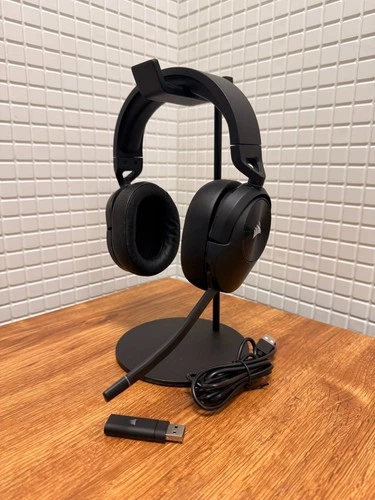
Corsair HS55 Core wireless headset$40.46

Corsair HS55 Core wireless headset

eBay Beschreibung: CORSAIR HS55 Core Wireless Gaming Headset – komfortables und vielseitiges Headset für Gaming und Alltag. Dank der kabellosen Verbindung bietet das Headset maximale Bewegungsfreiheit, während die präzise abgestimmten 50-mm-Treiber für klaren

See the live listing →
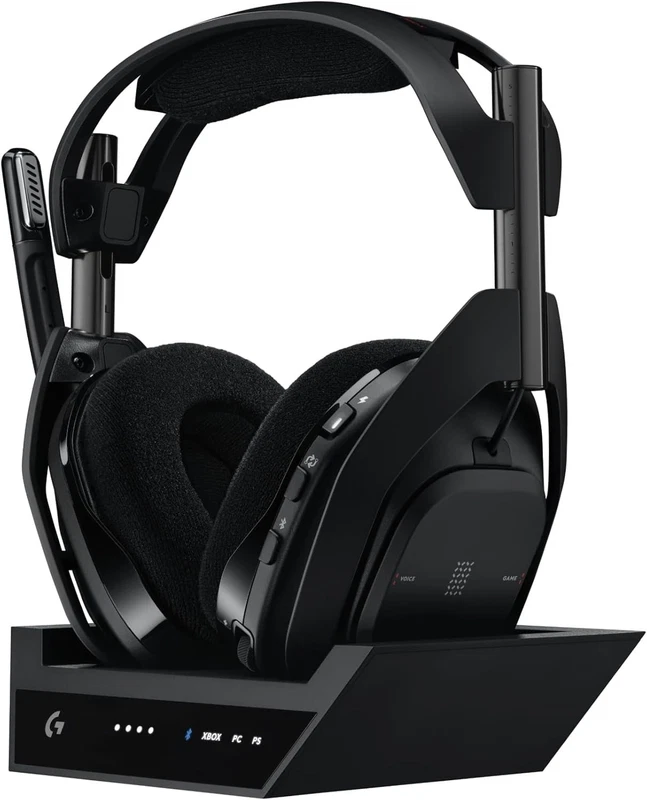
Logitech G Astro A50X wireless headset$274.99

Logitech G Astro A50X wireless headset

eBay Logitech G Astro A50 X Multi-Platform Wireless Gaming Headset + Base Station for PS5/Xbox/PC: PLAYSYNC Video & Audio Switcher, HDMI 2.1 4K 120Hz VRR, <24bit/48kHz, 24hr Battery, 2.4GHz & BT - Black Ships in Brown Box. New Condition. Complete with all acce

See the live listing →
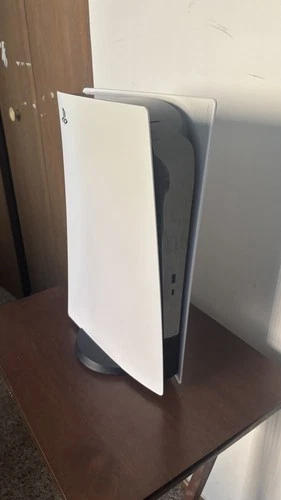
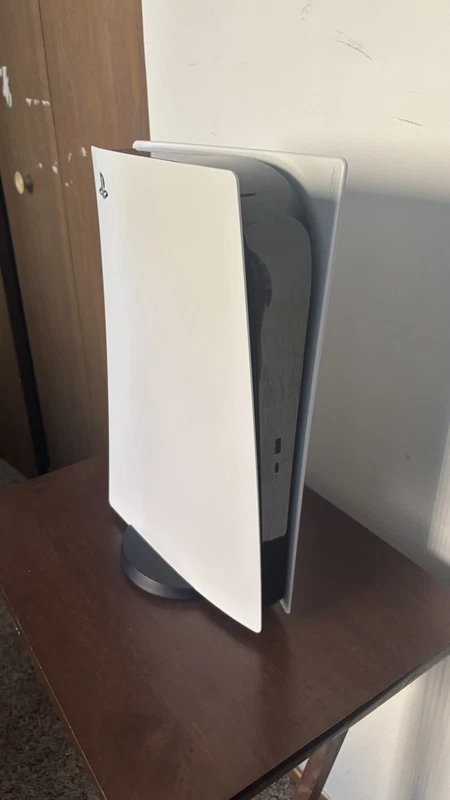
PlayStation 5 digital console with 1TB of storage$379.0

PlayStation 5 digital console with 1TB of storage

eBay This PS5 has been continuously used for years, I never experienced any issues with it myself, but if you decide to buy it you will have space for GTA 6, and a ton of other games so you wont have to free up space, or not download all the games you want to

See the live listing →
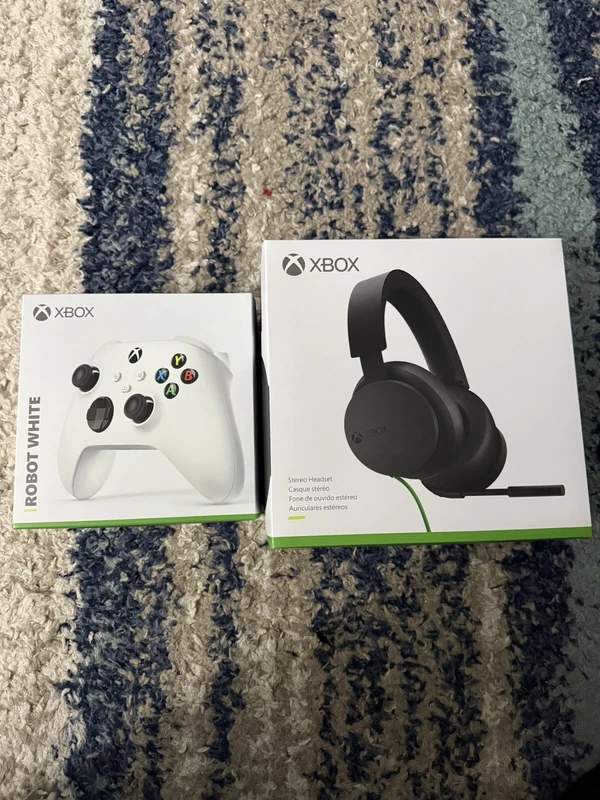
Xbox Series X controller and headset bundle$70.0

Xbox Series X controller and headset bundle

eBay Perfect Christmas gift bundle! Enhance your gaming experience with this incredible bundle that includes an Xbox Series X controller and headset. The controller is designed to give you the ultimate control over your gameplay, while the headset allows you t

See the live listing →
Logitech G Pro wireless mouse$40.0

Logitech G Pro wireless mouse

eBay The Logitech G Pro Wireless Black gaming mouse is a high-performance unit designed for gamers looking for precision and control. With a maximum DPI of 16000 and adjustable DPI settings, users can customize the mouse to their desired sensitivity level. The

See the live listing →
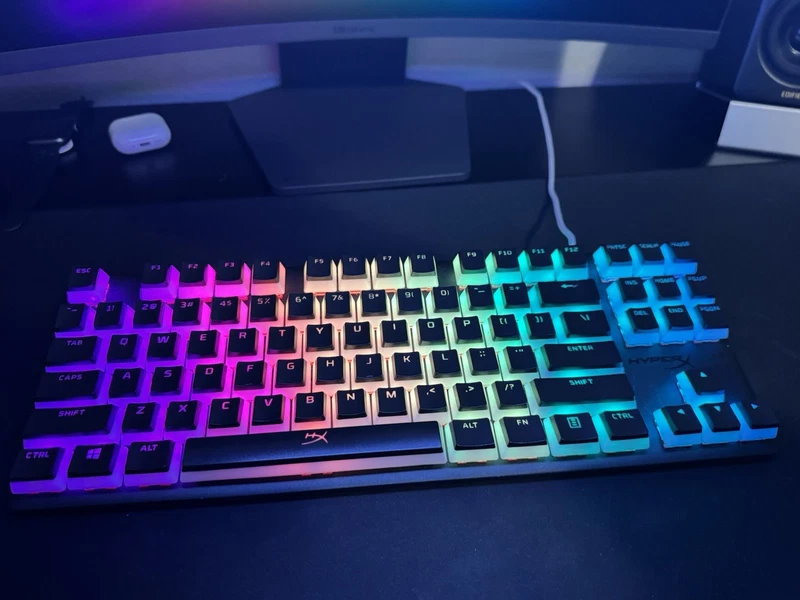
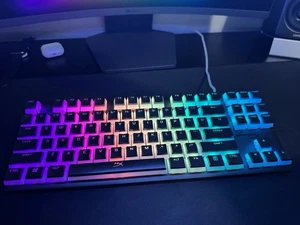
HyperX Alloy Origins-Core RGB mechanical keyboard$45.0

HyperX Alloy Origins-Core RGB mechanical keyboard

eBay HyperX Alloy Origins Core TKL Mechanical Gaming Keyboard upgraded with vibrant pudding keycaps. Key Features & Included Items: HyperX Alloy Origins Core Keyboard: Compact, durable Tenkeyless (TKL) aluminum design Pudding Keycaps: Dual-layer translucent de

See the live listing →
ergonomic racing gaming chair with a footrest$155.99

ergonomic racing gaming chair with a footrest

eBay Important Note: After-sales Terms Please note when placing an order: (Hawaii and Alaska) (Puerto Rico, Guam, Virgin Islands, American Samoa, Northern Mariana Islands, Palau, Federated States of Micronesia, Marshall Islands) (PO BOX address), these address

See the live listing →
RGB mouse pad with wireless charging$20.89

RGB mouse pad with wireless charging

eBay The RGB Gaming Mouse Pad is a sleek and functional accessory for gamers, featuring a large 80x30cm size with 17 different lighting modes for customizable aesthetic. The non-slip rubber material ensures stability and precision while gaming, and the wireles

See the live listing →
classic Twister board game$14.57

classic Twister board game

eBay The Twister Vintage 1966 Milton Bradley Board Game is a classic board game that has been enjoyed for decades. With its iconic design and nostalgic appeal, this vintage game provides hours of entertainment for both children and adults alike. The Twister ga

See the live listing →
Star Wars chess set$22.4

Star Wars chess set

eBay 2005 Star Wars Saga Edition Chess Set Replacement Figures 18 Pieces See Desc Lot of 18 Replacement pieces in decent vintage condition (some have dust and scratches due to age and use): Silver Bishop - Luke Skywalker x 1 Bishop - Princess Leia x 1 Pawns -

See the live listing →
Part 7

Playing on different screens

Every game is built to work across more than one kind of screen, but the behaviour genuinely differs between devices. These differences are worth knowing before you pick the game that suits your day.

On a phone every game works without trouble, but the reflex and speed games are the best fit because they take up very little space and are played with a thumb. Chess and sudoku also work by touch, though you need one finger to place a piece and another to move it, and you may want to turn the device sideways to see the whole board.

On a laptop this is the best device for Memory Game and Color Echo, because you need screen space to cover the colours in sequence. Those two specifically get harder as the screen gets smaller, because a mistake you do not notice on a large display becomes one you notice on the next attempt.

On a television it works, but the extra layer of latency makes the reflex games less satisfying. The clear recommendation: if you are playing on a big screen, choose something that does not depend on an instant reaction, such as chess or Candy Pop.

On a tablet is the best compromise of all: a screen large enough and touch accurate enough, with no need to rotate the device. Most people find this the right balance for the fast games.

Part 8

Common questions about how it works

These are the points that come up most often, and the answers are short.

  • Do I need an internet connection? You need one to load the page once, after which the game runs with no further requests.
  • Is my score saved? Yes, in your browser's local storage on your own device. Nothing is sent anywhere.
  • Does it work on mobile? Yes. The page is fully responsive and fits the phone screen.
  • Can I play without limits? Yes. There is no timer that blocks rounds and no cap on attempts.
  • Do I need to download anything? No. It runs in the browser as it is, which is faster and lighter.
  • Are there ads? No, and inside the games in particular there is nothing of that kind at all.
  • Are more games coming? Yes, and this page updates with each new one.
Part 9

The bottom line

The games are not an extra. They are a deliberate part of the site: eleven free games, all of them running in the browser, with no download, no sign-up and no limits. If you want to try exactly one, start with chess or sudoku, because neither needs explaining and both outlast everything else. If you want something lighter, fruit catcher or color echo is five minutes well spent.

It is also worth remembering that the game you come back to is not necessarily the best one, just the one that pulls you in. Start with whichever of these appeals, and if it holds your attention, return to it rather than starting something new every time.

Do you need the gear? It is in the section above. The games themselves are, as always, completely free.

Questions

Frequently asked questions

Are the Tahabay games really free?

Yes. Every game runs directly in your browser with nothing to install and no account to create. There is no limit on how many rounds you can play and no timer that cuts you off.

Do the games work on mobile?

Yes. Every game page is responsive and the game is embedded so it fills the screen. Chess, sudoku and the puzzle games all work with touch input.

Do I need an internet connection?

You need one to load the page once. After that the whole game runs in the browser with no further requests, because each game is a single self-contained file.

Is my score saved?

The game saves your best score in your browser's local storage on your own device. Nothing is sent to any server, and clearing your browser data clears the record.

Are there ads inside the games?

No. There are no ads, no pop-ups and no outbound links inside any game. The entire screen belongs to the game.

Which game should I start with?

Start with chess or sudoku if you want a longer session that needs no instructions. If you only have five minutes, fruit catcher or color echo is the better fit.