Tahabay icon tahabay

SSD Buying Guide: SATA vs NVMe, Speeds, and Capacity Rules

Master your next storage upgrade with our complete ssd buying guide. Compare SATA vs NVMe ssd speeds, form factors, and find the perfect drive for your budget.

Inland Professional 1TB 2.5 Inch SATA III SSD

This guide is built for anyone staring at a spinning wheel, a painfully slow game load screen, or a dreaded "Startup Disk Full" warning on their desktop, laptop, or PlayStation console. If you are tired of waiting minutes just for your operating system to boot or losing precious seconds transferring files, you are in the right place. Solid State Drives represent the single most impactful hardware upgrade you can make to an aging computer or a storage-starved console. Yet, walking into the modern market can feel like deciphering an alphabet soup of acronyms: NVMe, M.2, SATA, PCIe 4.0, TBW, and DRAM. This guide strips away the marketing fluff to help you evaluate your exact needs, understand the crucial technical thresholds, and match your budget to a reliable storage solution that will keep your machine running at peak performance.

Storage technology has evolved rapidly over the past few years, moving far beyond traditional mechanical hard drives and early-generation solid-state options. Whether you are looking to revitalize an older machine with a classic form factor or supercharge a modern gaming rig with blazing-fast speeds, navigating the interface and slot types is your first major hurdle. Beyond raw speed, understanding capacity requirements, thermal management, and physical compatibility will save you from costly mistakes. By the time you finish this guide, you will know exactly what to look for, which compromises to avoid, and how to select the right component for your specific workload.

Part 1

Understanding Interface and Slot Types: SATA vs. NVMe vs. External USB

The single biggest factor in choosing an internal drive is determining what physical slot your motherboard or laptop actually supports. Storage interfaces dictate not only how fast data can travel but also how the drive physically connects to your system. Getting this wrong means your new purchase literally will not plug into your machine, or worse, it will plug in but run at a fraction of its advertised potential.

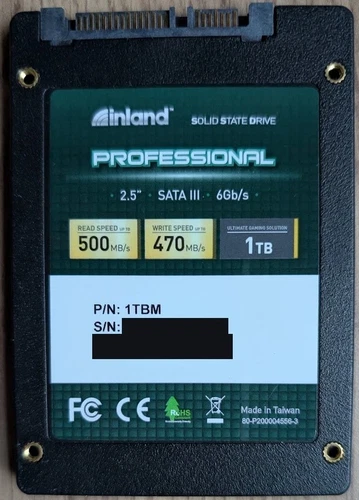
At the foundational level, we have the 2.5-inch SATA drive. Utilizing the same physical form factor as traditional laptop hard drives, these older drives are limited by the SATA III interface bottleneck, maxing out real-world sequential speeds around 500 to 550 megabytes per second. While that sounds slow compared to modern alternatives, it is still worlds faster than any mechanical drive and represents a lifeline for older laptops and desktops lacking modern slots. For instance, the provides a straightforward, highly compatible upgrade path for legacy systems that only feature traditional drive bays.

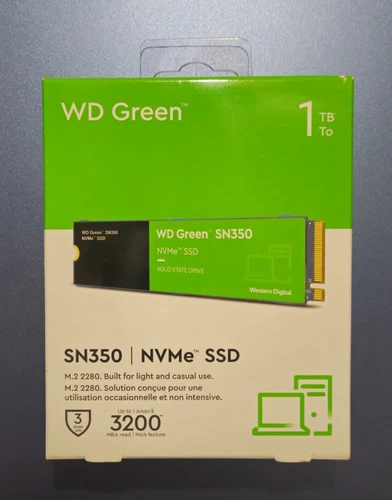
Next up is the M.2 form factor, which looks less like a traditional drive and more like a stick of chewing gum. M.2 drives plug directly into the motherboard without needing cables. However, do not let the identical shape fool you: M.2 slots can run on either the slower SATA protocol or the lightning-fast NVMe (Non-Volatile Memory Express) protocol over PCIe lanes. An NVMe drive bypasses the old bottlenecks entirely, enabling data to flow directly along high-speed lanes to your processor. Budget-friendly options like the deliver read speeds up to 3,200 MB/s, transforming daily multitasking and file transfers.

If you push into higher performance tiers, PCIe 4.0 drives unlock even faster throughput. Drives like the or the powerhouse are engineered for intense gaming sessions and heavy data workloads, offering blistering speeds that satisfy demanding titles and operating systems alike. If your motherboard features a PCIe Gen 4 x4 M.2 slot, pairing it with a high-end drive ensures you leave no performance on the table.

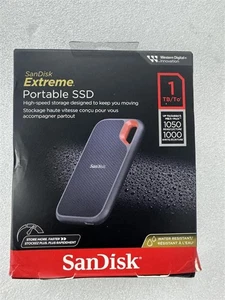
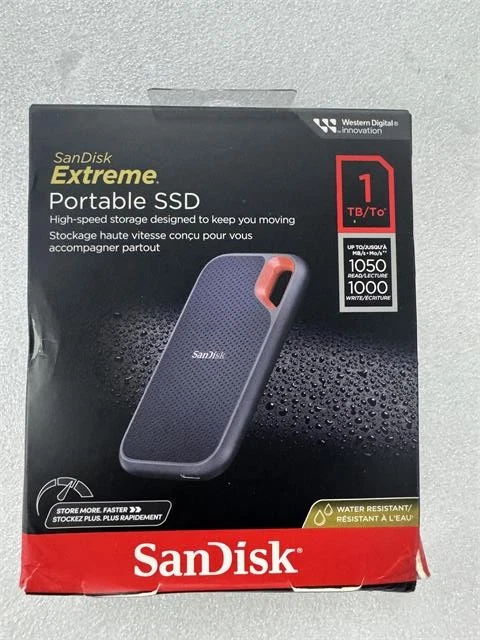
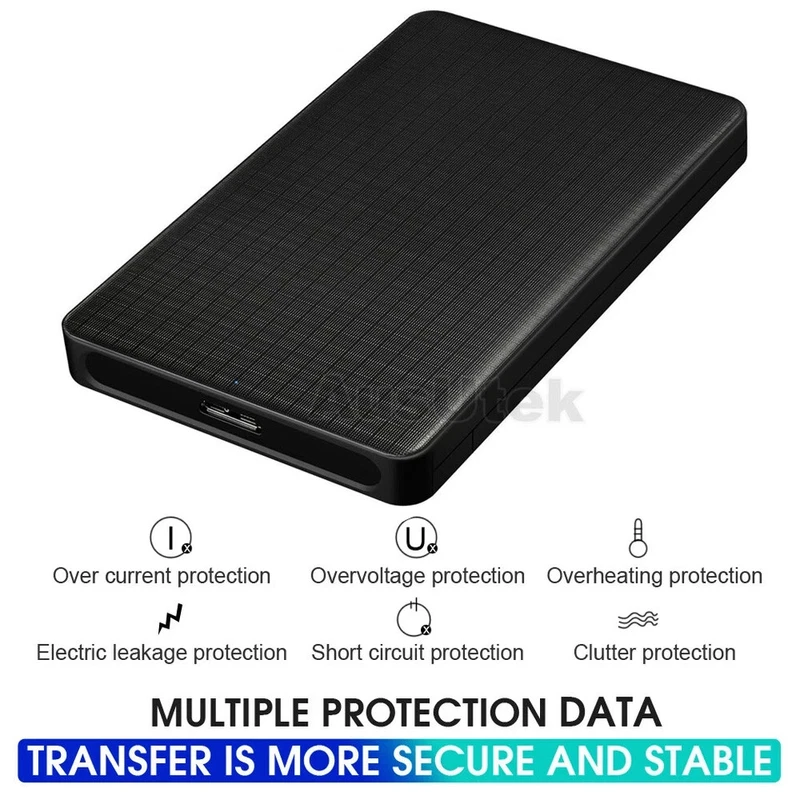
Finally, we have the moving target of external USB storage. When you need portability or run out of internal slots, external solid state drives connect via USB-C or USB-A ports. A rugged option like the gives you pocket-sized mobility with robust construction designed to withstand the rigors of travel. Alternatively, if you already have a loose internal drive lying around, you can turn it into an external portable unit using a simple .

Inland Professional 1TB 2.5 Inch SATA III SSD$90.0

Inland Professional 1TB 2.5 Inch SATA III SSD

eBay The Inland Professional 1 TB Solid State Hard Drive is a high-performance internal SSD designed for computers and tablets. With a read speed of 500MB/s and a storage capacity of 1TB, it offers fast data access and storage. The compact 2.5-inch form factor

See the live listing →
WD Green SN350 1TB NVMe M.2 2280 SSD$125.0

WD Green SN350 1TB NVMe M.2 2280 SSD

eBay The Western Digital WD Green SN350 1TB NVMe M.2 2280 Internal SSD offers fast read speeds of up to 3200 MB/s, making it ideal for use in PCs. With a storage capacity of 1TB and a 3-year limited warranty, this SSD from Western Digital provides reliable sto

See the live listing →
Fikwot Jupiter FX991 1TB M.2 PCIe 4.0 SSD$62.0

Fikwot Jupiter FX991 1TB M.2 PCIe 4.0 SSD

eBay Fikwot Jupiter FX991 1TB M.2 PCIe 4.0 Internal SSD Blue MPN IP480C01TBS7M5NDS

See the live listing →
WD_BLACK SN850 1TB NVMe SSD$250.0

WD_BLACK SN850 1TB NVMe SSD

eBay The WD Black SN850 1TB Internal Gaming SSD is a high-performance storage solution designed for gaming PCs. With a PCIe Gen 4 x4 NVMe interface, this SSD offers fast read and write speeds, making it ideal for demanding gaming experiences. The sleek black d

See the live listing →
SanDisk Extreme 1TB Portable USB-C SSD$179.99

SanDisk Extreme 1TB Portable USB-C SSD

eBay Extreme SDSSDE61-1T00-G25 Solid State Drive 1 TB Portable SSD 1TB P/N: SDSSDE61-1T00-G25 Manufacturer: SanDisk Tough Storage That's Ready for Life Your life's an adventure. The SanDisk Extreme® Portable SSD fits your mobile lifestyle and accelerates every

See the live listing →
2.5" USB 3.0 SATA External Hard Drive Enclosure Case for HDD SSD$14.43

2.5" USB 3.0 SATA External Hard Drive Enclosure Case for HDD SSD

eBay put: Micro USB3.0 (2) Output terminal: 7+15 SATA (3) USB specification: USB3.0 standard, backward compatible with USB2.0, theoretical upload rate up to 5.0Gbps (4) Supports SATA3.0, backward compatible with SATA2.0 (5) Supports USB hot swapping, plug and

See the live listing →
Part 2

Capacity, Endurance, and the Simple Rule of Thumb

Once you settle on an interface, you must decide how much space you actually need and how long the drive will last under heavy write operations. Choosing the right capacity prevents the headache of constantly uninstalling your favorite games or moving archival files to cloud storage.

Let us establish a simple capacity rule for modern computing: 500GB is the absolute floor for a general-purpose productivity machine, 1TB is the sweet spot for mainstream users and casual gamers, and 2TB or higher is required for dedicated video editors, content creators, and enthusiasts with massive game libraries. Operating systems alone consume substantial space, and modern AAA video games routinely demand anywhere from 100GB to 150GB per title. If you buy a 256GB drive today, you will likely find it choked with temporary files and updates within a year.

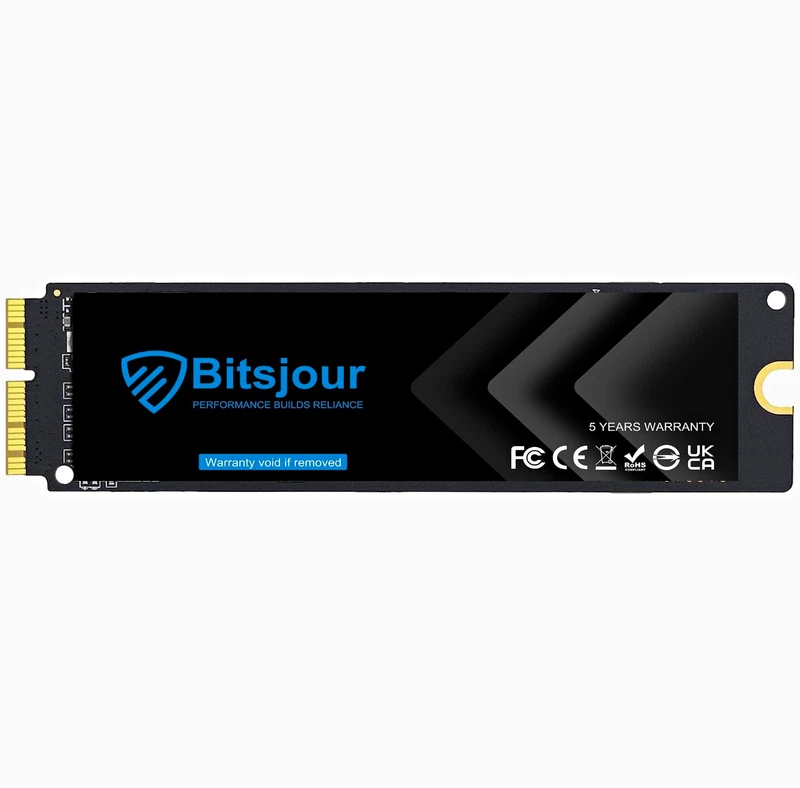
Endurance is another critical metric, often measured in Terabytes Written (TBW). This tells you how much data can be written to the drive over its lifespan before memory cells begin to degrade. For average home users, office workers, and web browsers, even a modest entry-level drive will easily outlast the useful life of the computer it inhabits. However, if you edit 4K video daily, manage massive databases, or continuously download and delete files, prioritizing higher endurance ratings is essential. Mac users working with specific proprietary connectors can find specialized options such as the , which bridges the gap for older Apple hardware that lacks standard M.2 slots.

Use Case Recommended Form Factor Speed Class Ideal Capacity
Legacy Laptop / Office PC 2.5-inch SATA ~500 MB/s (SATA III) 500GB - 1TB
Mainstream Gaming & Productivity M.2 NVMe (PCIe 3.0 or 4.0) 3,000 to 5,000 MB/s 1TB - 2TB
PS5 Console Expansion M.2 NVMe with Heatsink 5,500+ MB/s 1TB - 2TB
Portable File Transfer & Travel External USB-C SSD Up to 1,050 MB/s 1TB - 2TB
Bitsjour 1TB NVMe SSD MacBook$31.0

Bitsjour 1TB NVMe SSD MacBook

eBay This is a used Bitsjour 1TB SSD upgrade for Apple MacBook Air A1466 A1465 2013-2017, MacBook Pro A1398 A1502 Retina 2013-2015, Mac Pro A1481 2013, iMac A1418 A1419, Mac mini A1347 2014, Mac Interface. This SSD has the 12+16 key so it will only work for Ma

See the live listing →
Part 3

Transfer Speeds That Matter vs. Marketing Numbers

Manufacturers love printing massive numbers on the front of packaging. You will see phrases like "Up to 7,300 MB/s Read!" splashed across boxes. But how much of that speed actually impacts your day-to-day computing experience? Understanding the difference between sequential speeds and random input/output operations per second (IOPS) is crucial to making an informed buying decision.

Sequential speeds measure how fast a drive can read or write a single, massive file, such as copying a 50GB movie from one folder to another. High sequential speeds are fantastic for video editors moving giant media files around. However, daily tasks like booting Windows, launching web browsers, loading software, and compiling code rely heavily on random read and write performance. These operations involve thousands of tiny files scattered across the storage blocks.

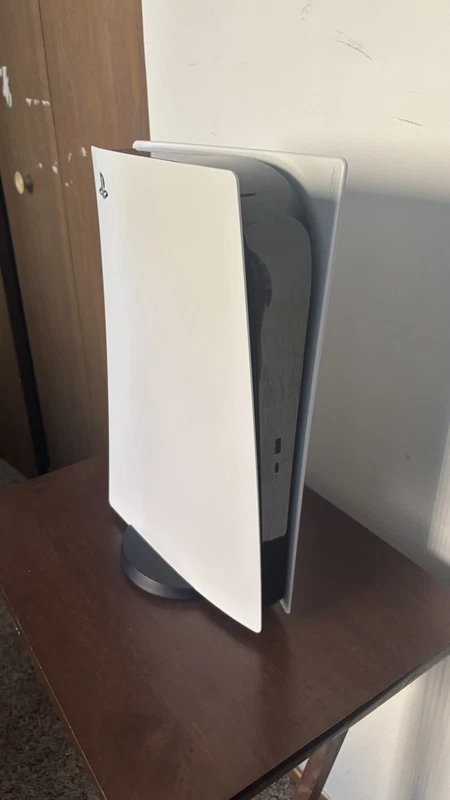
Fortunately, even a modest NVMe drive vastly outperforms any mechanical hard drive in random operations. For the average user, jumping from a 3,500 MB/s drive to a 7,000 MB/s drive yields almost imperceptible differences in web browsing or office work. Where those ultra-fast PCIe 4.0 speeds genuinely shine is in modern gaming consoles like the PlayStation 5, which utilize advanced data streaming architectures to load game assets directly from storage into memory on the fly. If you are upgrading a console, ensuring your drive meets the manufacturer's strict speed requirements is non-negotiable. If you are looking for a complete plug-and-play console solution rather than loose parts, a pre-configured console like the eliminates guesswork entirely.

Sony PS5 Digital 1TB SSD Controllers$379.0

Sony PS5 Digital 1TB SSD Controllers

eBay This PS5 has been continuously used for years, I never experienced any issues with it myself, but if you decide to buy it you will have space for GTA 6, and a ton of other games so you wont have to free up space, or not download all the games you want to

See the live listing →
Part 4

Installation Basics and Hardware Compatibility

Installing an internal solid-state drive is one of the most satisfying DIY computer projects, requiring only a steady hand, a small screwdriver, and a few minutes of patience. Before you open up your machine, always power down completely, unplug the power cable, and discharge any static electricity by touching a grounded metal object.

If you are installing a 2.5-inch SATA drive, such as the , the process involves locating an open drive bay inside your desktop case or sliding out the old laptop caddy. You will connect two cables: a flat SATA data cable running to your motherboard and a wider power cable coming from your power supply. Secure the drive with four small screws, and you are finished.

Installing an M.2 NVMe drive is even simpler because there are no cables involved. Locate the M.2 slot on your motherboard. You will typically see a small screw or a rotating plastic latch at the opposite end of the slot. Insert the drive at a slight 30-degree angle into the slot until the gold contacts are mostly seated, gently press the drive flat against the motherboard, and secure it with the standoff screw or latch. If your motherboard includes an integrated metal heatsink, remove the protective plastic film from the thermal pad underneath, place the heatsink over your new drive, and screw it down to ensure optimal operating temperatures during extended workloads.

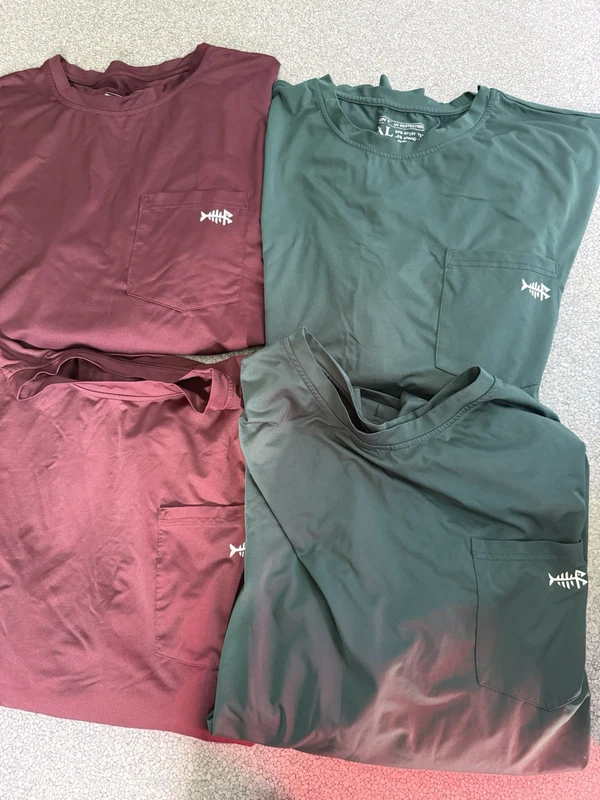
If you enjoy working on projects with your hands or spending time outdoors when you are away from your desk, maintaining comfortable gear is just as important as maintaining your computer hardware. Whether you need reliable attire for a weekend fishing trip or outdoor work, outfitting yourself properly matters. Many tech enthusiasts also enjoy outdoor hobbies, relying on specialized apparel like the , the lightweight , or multi-packs of shirts like the to stay protected from the elements.

SanDisk SSD Plus 1TB 2.5" SATA$200.0

SanDisk SSD Plus 1TB 2.5" SATA

eBay Desc: 2 SanDisk SSD PLUS 1TB, 2.5 inch Internal SSD, MODEL: SDSSDA-1T00 2.5” SSD Drive. Both used and in good condition Capacity 1TB Form Factor 2.5-Inch Sequential Read Performance 535MB/s Sequential Write Performance 350MB/s Please read the entire listi

See the live listing →
BASSDASH UPF 50+ Long Sleeve Fishing T-Shirt Men$45.0

BASSDASH UPF 50+ Long Sleeve Fishing T-Shirt Men

eBay BASSDASH Fishing T Shirts for Men UV Sun Protection UPF 50+ Long Sleeve (Size L) 84% Polyester, 16% Spandex Imported Pull On closure Machine Wash Long sleeve design and 50+ UPF protection keeps your skin healthy, so you can be active all day in the sun wi

See the live listing →
BASSDASH Breathable Waterproof Rain Pant Fishing Lightweight$22.99

BASSDASH Breathable Waterproof Rain Pant Fishing Lightweight

eBay THIS PANT Waterproofing Rating: WPR = 5,000 mm H2O Breathability Rating: MVP = 3,000 gr/m2/24 hrs Windproofing and Stain Repellent Properties Construction: Fully taped construction Closure Type: Elastic closure Rise Style: Mid Rise Leg Style: Straight Pro

See the live listing →
BASSDASH UPF Long Sleeve Fishing Shirt XL$40.0

BASSDASH UPF Long Sleeve Fishing Shirt XL

eBay BASSDASH Fishing Shirt Long Sleeve, UV Sun Protection UPF Men’s Size XL 4 PACK*. Condition is Pre-owned - Excellent. Shipped with USPS Ground Advantage.

See the live listing →
Part 5

Glossary of Common SSD Jargon

Navigating technical data sheets can be intimidating. Here is a clear, no-nonsense breakdown of the most common terms you will encounter while shopping:

  • NVMe (Non-Volatile Memory Express): A communications protocol designed specifically for flash storage, allowing drives to communicate directly with the CPU via high-speed PCIe lanes for maximum speed.
  • SATA (Serial ATA): An older, legacy interface standard originally designed for mechanical hard drives. It caps data transfer speeds around 550 MB/s.
  • M.2: A small, rectangular physical form factor resembling a stick of gum. It can support either SATA or NVMe protocols depending on the slot and drive type.
  • PCIe (Peripheral Component Interconnect Express): The high-speed expansion bus standard used by graphics cards, capture cards, and modern NVMe SSDs. Generational upgrades (Gen 3, Gen 4, Gen 5) double the theoretical bandwidth.
  • TBW (Terabytes Written): A manufacturer-rated metric indicating the total amount of data you can write to a drive before the flash memory cells begin to wear out.
  • DRAM Cache: A dedicated chip of volatile memory on the SSD that stores a map of where files are located. Drives with DRAM generally offer faster, more consistent performance during heavy file transfers compared to DRAM-less alternatives.
  • Form Factor: The physical size and shape of a storage device, such as the 2.5-inch box format, the M.2 gumstick format, or external portable enclosures.
  • IOPS (Input/Output Operations Per Second): A benchmark measurement of how many random read or write tasks a drive can handle simultaneously, influencing how snappy your operating system feels during multitasking.

When you are out enjoying recreational activities, staying prepared for changing weather conditions is vital. Anglers and hikers often utilize specialized gear such as the for wading into rivers, comfortable for warm days, or insulating layers like the when temperatures drop. Keeping your gear organized is equally simple with a utility vest like the , ensuring you have pockets for every essential tool.

BASSDASH 3D Boot Foot Nylon Wader$56.09

BASSDASH 3D Boot Foot Nylon Wader

eBay SIZE is Medium King 8-9 ITEM IS NEW WITH SOME BOX DAMAGE The BASSDASH 3D Boot Foot Game Wader is made with ultra-high strength nylon and comes in a stylish gray color. It is designed for men in size large 12-13 and features a boot foot style. This item we

See the live listing →
BASSDASH Quick Dry Elastic Waist Fishing Pants$49.0

BASSDASH Quick Dry Elastic Waist Fishing Pants

eBay Excellent pre-owned condition, Barely worn at all. Two pairs. Waist measures 28", best fit for 30-32.

See the live listing →
Bassdash Men's Thermal Under Layer Pants Grey Medium$29.0

Bassdash Men's Thermal Under Layer Pants Grey Medium

eBay The product is a pair of men's leggings from the brand Bassdash. They are grey in color and have a pull-on closure. The style is described as "under armor" and they feature an access slit. The size type is regular and the department is men's clothing. Exc

See the live listing →
Bassdash Fishing Vest Blue Orange$30.63

Bassdash Fishing Vest Blue Orange

eBay The Bassdash Fishing Vest in Blue and Orange is a high-quality fishing accessory designed for anglers looking for comfort and functionality. Made by the brand AND, this vest is perfect for fishing enthusiasts who prefer a blue color scheme. With a fish-th

See the live listing →
Part 6

Choosing Your Tier: Product Recommendations

To help you narrow down your choices, we have categorized our in-stock recommendations into distinct performance tiers based on value, speed, and intended application. Selecting the right tier ensures you do not overspend on features you will never use, nor underbuy for a demanding workload.

The Budget and Legacy Tier

If you are looking to breathe new life into an older machine, upgrade a secondary office computer, or salvage a legacy laptop without spending a fortune, basic SATA drives and entry-level NVMe options provide incredible value. The is a reliable drop-in replacement for old mechanical hard drives, while the offers an affordable gateway into NVMe speeds for motherboards that support it. For older Apple hardware users, the provides a tailored upgrade solution. For more guidance on finding great component values and building balanced systems, check out our insights on best carhartt workwear deals (jackets, pants & gear) to see how smart shopping applies across different categories.

The Mid-Range Performance Tier

For mainstream gamers, content creators, and everyday power users who want balanced speed and endurance without breaking the bank, mid-tier PCIe 4.0 drives hit the sweet spot. The delivers responsive load times and high throughput that easily handles modern operating systems and demanding software suites. If you prefer external storage that travels with you, the gives you blazing-fast file movement in a pocket-friendly enclosure.

The Enthusiast and Console Tier

When only the absolute best performance will satisfy your requirements—such as maxing out a high-end gaming desktop or expanding a PlayStation 5 console storage bay—you need top-tier components. The is engineered specifically for uncompromising gaming rigs, offering sustained high speeds and exceptional reliability. For a complete system upgrade ready straight out of the box, the lets you jump right into next-generation gaming with zero setup friction.

Just as building a high-performance computer requires matching the right components together, pursuing specialized hobbies like sport fishing requires dedicated equipment tailored to the task. Anglers targeting specific species or techniques often invest in specialized tackle, such as the precision-engineered , the versatile , the delicate , or the heavy-duty . Completing your outdoor wardrobe with casual items like the keeps you comfortable during long days under the sun.
Tailwalk METALZON SSD C52MH Baitcasting Rod$296.99

Tailwalk METALZON SSD C52MH Baitcasting Rod

eBay Tailwalk METALZON SSD C52MH/FSL Baitcasting Rod Condition: Brand New Japan Domestic Model. Length: 5 feet 2 inches Section: 1 End: 90cm Own weight: 107g Tip diameter: 1.3mm Original diameter: 9.1mm lead load: No. 10-35 Lure weight: 40-140g Line weight PE:

See the live listing →
Tailwalk EGIST SSD 81M Eging Spinning Rod$238.99

Tailwalk EGIST SSD 81M Eging Spinning Rod

eBay Tailwalk EGIST SSD 81M Spinning Rod for Eging Condition: Brand New Japan Domestic Model. Length: 8 feet 1 inch Piece: 2 Closed Length (cm): 127 Weight (g): 105 Egi (Squid Jig) Weight (#): MAX 4.5 Line Wt (PE): MAX0.8 L1(mm): 390 L2(mm): 250 Grip type: A t

See the live listing →
Tailwalk HAZECRA SSD S672L Spinning Rod$200.99

Tailwalk HAZECRA SSD S672L Spinning Rod

eBay Tailwalk HAZECRA SSD S672L Spinning Rod Condition: Brand New Japan Domestic Model. Length : 6 feet 7 inches Section : 2 Closed Length (cm) : 103 Weight (g) : 73 Lure Weight (g) : 8 Line Wt (PE) : 0.6 L1(mm) : 290 L2(mm) : 180 GRIP TYPE : A Action : EX FAS

See the live listing →
Tailwalk Slow Bump SSD 633 Baitcasting Rod$350.99

Tailwalk Slow Bump SSD 633 Baitcasting Rod

eBay Tailwalk SLOW BUMP SSD 633 Baitcasting Rod Condition: Brand New Japan Domestic Model. Length : 6 feet 3 inches Section : One Closed size : 191cm Own weight : 106g Lure Weight weight : max 350g Drag MAX : max 3.0kg L1 : 530mm L2 : 405mm GRIP TYPE : A targe

See the live listing →
Vintage Bush Gavin Rossdale Black Snapback Cap$49.99

Vintage Bush Gavin Rossdale Black Snapback Cap

eBay Vintage Bush Gavin Rossdale Black Hat Cap Snapback San Sun Adjustable 90s Vintage 1990s Bush Baseball Hat By San Sun One Size Fits All, Adjustable Snapback Professionally packed and shipped with tracking

See the live listing →
Part 7

Summary: If You Only Buy One Thing

Navigating the storage market ultimately boils down to matching your hardware slots with your performance expectations. If you are overwhelmed by the choices and want a single, versatile recommendation that balances speed, modern compatibility, and everyday reliability for a mainstream desktop or gaming PC, make your pick the . It strikes the ideal balance between modern PCIe 4.0 speeds and accessible pricing, instantly eliminating load screen bottlenecks and giving your system the responsive feel it deserves.

Keep in mind that online pricing, stock availability, and exact product conditions fluctuate frequently across different sellers and marketplaces. Always double-check your motherboard specifications, physical slot availability, and form factor dimensions before checking out to ensure a seamless installation experience. Whether you are resurrecting an older laptop with a legacy drive or building a state-of-the-art gaming rig, upgrading to a solid-state drive remains the single most satisfying improvement you can make to your digital life.

Questions

Frequently asked questions

What is the main difference between a SATA SSD and an NVMe SSD?

SATA SSDs use an older interface capped at around 550 megabytes per second, making them great for legacy laptops and budget office rigs. NVMe SSDs connect directly through PCIe lanes on your motherboard, unlocking speeds ranging from 3,000 to over 7,000 megabytes per second for lightning-fast game loading and file transfers.

How much storage capacity do I actually need for gaming and daily use?

For a general productivity machine, 500GB is the minimum baseline. However, 1TB is considered the modern sweet spot for mainstream users and casual gamers since modern games routinely take up over 100GB each. Content creators and enthusiasts with massive libraries should aim for 2TB or higher.

Can I install an M.2 NVMe SSD into any motherboard?

No, your motherboard must feature a compatible M.2 slot that supports the NVMe protocol. Older or budget motherboards might only support M.2 SATA drives or lack M.2 slots entirely, which would require you to use a traditional 2.5-inch SATA drive instead.

Do I need ultra-fast PCIe 4.0 speeds for everyday computer tasks?

For everyday tasks like web browsing, office work, and checking email, you will notice very little difference between a standard NVMe drive and an ultra-fast PCIe 4.0 drive. Those extreme speeds are primarily beneficial for heavy video editing or meeting the strict hardware requirements of modern gaming consoles.