Tahabay icon tahabay

Best Mouse Pad Deals: Extended Mats, RGB and Charging Pads

Cloth versus hard surfaces, speed versus control glide, stitched edges and XL desk-mat sizes decide which mouse pad is worth the money. Deals from $7.99 to $55.

Part 1

Cloth, Hard and Hybrid Surfaces

Every mouse pad is a negotiation between glide and control. Cloth pads are woven fabric laminated to a rubber base. They are quiet, forgiving on the sensor, and the surface most people learn to aim on, but the weave adds friction, so flick shots take more wrist. Hard pads are plastic or aluminium sheets; the mouse skates almost friction-free, which is great for fast tracking, but they amplify every tremor and they wear mouse feet faster. Hybrid pads sit between the two: a coated fabric or micro-textured surface that keeps some of the cloth's grip while rolling more freely than a pure weave.

None of this matters if the surface confuses the sensor. Optical and laser sensors read texture to translate motion; a pad with an erratic pattern, a glossy laminate or a surface that varies from centimetre to centimetre produces spin-outs and cursor drift. The safest bet is a pad with a consistent matte weave or a uniform hard surface, which is why the plain extended cloth pads remain the default recommendation for most buyers.

Part 2

Speed Versus Control and How to Choose

Fast players and low-sensitivity aimers tend to prefer speed surfaces: less force per centimetre of travel, quicker flicks, and the arm does most of the work. Players who rest the wrist and make small corrections prefer control surfaces, where the friction damps overshoot. There is no universally correct answer, but there is a useful rule: if your current pad feels like it is fighting you during long sessions, you want a faster surface; if you overshoot targets and constantly pull back, you want more friction, not less.

DPI settings interact with the surface. Very high DPI combined with a hard pad can feel twitchy, because both reduce the effort needed to move the cursor. Dropping to a mid-range DPI on a cloth pad is the classic setup for people who want precision without jitter. If you share the desk with a family member, remember that a hard pad transmits every knock through to the mouse, while a thick cloth mat absorbs it.

Part 3

Extended Desk Mats Versus Small Pads

Size is the second big decision. A small pad, roughly 25 by 20 cm, costs little and suits a laptop or a console-adjacent setup, but it caps how far you can move the mouse before the skates drop off the edge. An extended pad, typically 80 by 30 cm, runs the full length of the keyboard so the mouse never leaves fabric and the keyboard stops sliding. A desk mat goes further: 90 by 40 cm and up, covering most of the desktop, unifying the look, and cushioning the wrists against a cold or rough table.

The trade-offs are real. Big mats take longer to dry after cleaning, they trap crumbs under the keyboard, and on a small desk they leave no room for a notebook. They also cost more, though the price per square centimetre usually falls. For a pure gaming desk, extended is the right default; for a shared work surface, a smaller pad that can be moved out of the way often wins.

Part 4

Stitched Edges, Bases and Waterproof Coatings

Cheap cloth pads are cut and glued; the fabric eventually peels away from the rubber at the edge, and the corner curls into the mouse path. Stitched edges, which are visible as a thread border around the pad, stop that delamination and are worth having on anything larger than a coaster. The base matters just as much: a chevron or diamond rubber pattern grips wood and glass, while a flat foam base creeps during aggressive play. Lift the pad at one corner before buying; if the whole mat lifts with it, the base will hold.

Waterproof coatings are the newest differentiator. A hydrophobic surface beads a spilled drink long enough to wipe it up, and it also resists sweat staining, which is the quiet killer of cloth pads in summer. The coating does make the surface slightly slicker than untreated fabric, so a coated pad skews a little toward speed. Uncoated heavy-weave pads remain the choice for pure control, at the cost of more careful maintenance.

Part 5

The Best Mouse Pad Deals Right Now

Budget extended pads

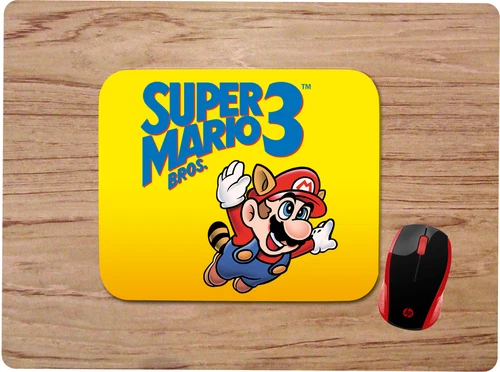
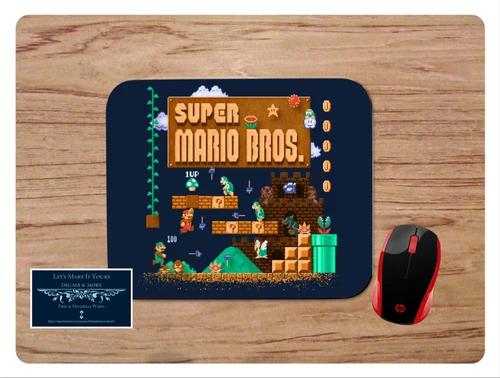
The at $11.99 is the entry point that actually works: a full desk-width cloth mat, non-slip rubber base, stitched border and a waterproof surface, which covers the three failure modes of cheap pads in one product. The at $12.91 and the at $12.91 offer the same extended footprint for buyers who want artwork instead of a blank black sheet. At the very bottom of the range, the at $7.99 is a small-format pad for a laptop corner or a gift, not a gaming surface.

Multicolor and mid-range pads

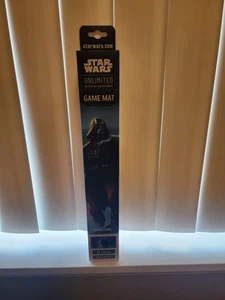
The at $13.45 used brings edge lighting to the budget tier, which is the cheapest way to try an RGB pad before committing more money. Stepping up, the at $32.55 and the at $34.95 are premium large-format printed mats, the kind that anchor a themed battlestation. The at $55.00 is an extra-large surface with a full graphic, suitable as both a mouse area and a tabletop play surface.

RGB and wireless charging pads

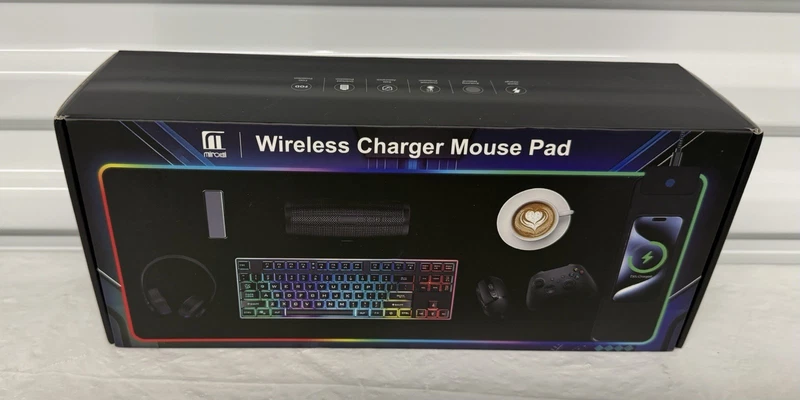
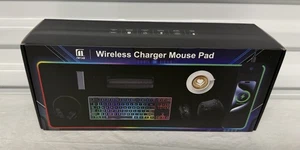
The at $20.89 is an 80 by 30 cm extended pad with an integrated charging zone, which turns the mouse rest area into a phone dock. The at $29.99 extends that formula to a larger surface with more lighting zones. At the top of the range, the at $48.07 is a split-surface design for buyers who want the charging feature in a more premium build, and the at $55.00 is a very large lit mat for full-desk coverage. Wireless charging pads add heat and a cable under the desk, so check that your phone model supports the coil position before assuming the feature is useful.

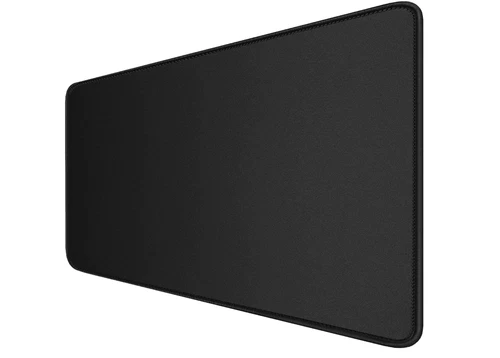
large extended gaming mouse pad with stitched edges$11.99

large extended gaming mouse pad with stitched edges

eBay Large Extended Gaming Mouse Pad with Stitched Edges, (31.5X15.7In) Durable Non-Slip Natural Rubber Base, Waterproof Computer Keyboard Pad Mat for Esports Pros/Gamer/Desktop/Office/Home-Black About this item 【Ultra Large Extended Size】The size of 31.5 x 15

See the live listing →
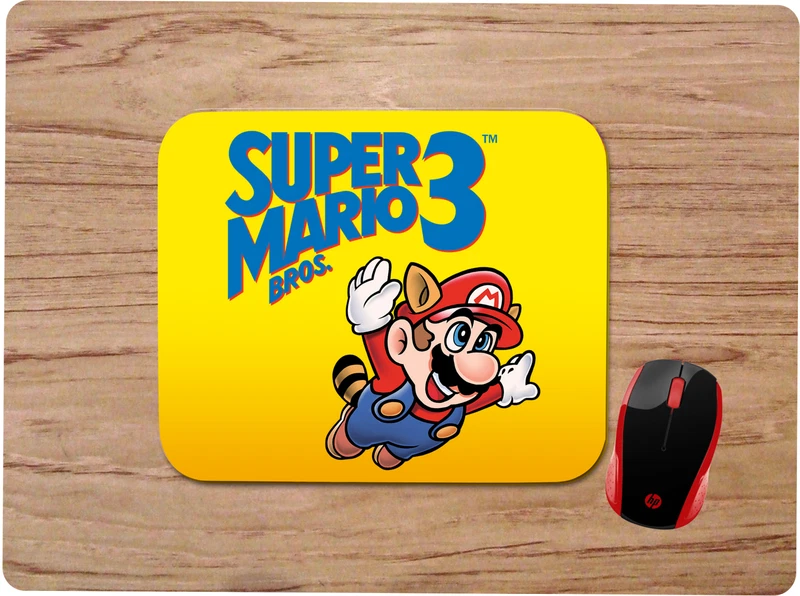
Super Mario Bros 3 desk mat$12.91

Super Mario Bros 3 desk mat

eBay UP FOR YOUR CONSIDERATION WE HAVE A CUSTOM MADE MOUSE PAD THIS MOUSEPAD IS MADE BY MY WIFE AND I FROM OUR HOME BASED BUSINESS HERE IN NORTH CAROLINA. WE TAKE PRIDE IN OUR WORK AND STRIVE TO DO OUR BEST AT EVERY ITEM WE MAKE. THIS MOUSEPAD IS MADE USING TH

See the live listing →
CafePress Dachshund mousepad$7.99

CafePress Dachshund mousepad

eBay CafePress brings your passions to life with the perfect item for every occasion. With thousands of designs to choose from, you are certain to find the unique item you've been seeking. Personalize your office space with a fun mousepad. This quality non-sli

See the live listing →
anime-style snow sweater desk mat$32.55

anime-style snow sweater desk mat

eBay You are buying the playmat in the title and picture. The size will be approx 60x35cm or 24x14in and 1.5mm thick. All of our mats have Stitched Embroidered Edges :) We typically ship within 2 business days. We ship worldwide.

See the live listing →
Hatsune Miku gaming desk mat$34.95

Hatsune Miku gaming desk mat

eBay Enhance your gaming experience with our premium 60x35cm (approx. 24x14") playmats! Designed with a smooth cloth top for effortless card movements and stitched edges for added durability, these mats provide a sleek, non-slip rubber base to keep them in pla

See the live listing →
RGB gaming mouse pad with wireless charging$20.89

RGB gaming mouse pad with wireless charging

eBay The RGB Gaming Mouse Pad is a sleek and functional accessory for gamers, featuring a large 80x30cm size with 17 different lighting modes for customizable aesthetic. The non-slip rubber material ensures stability and precision while gaming, and the wireles

See the live listing →
Miroddi XXL RGB wireless charger pad$29.99

Miroddi XXL RGB wireless charger pad

eBay Miroddi HD103 XXL RGB Wireless Charger Gaming Mouse Pad Desk Mat 15W New Open Box Up for sale is a Miroddi Wireless Charger Mouse Pad, model HD103. New, open box condition. Never used. Large XXL gaming desk pad with built-in 15W fast wireless charging. Co

See the live listing →
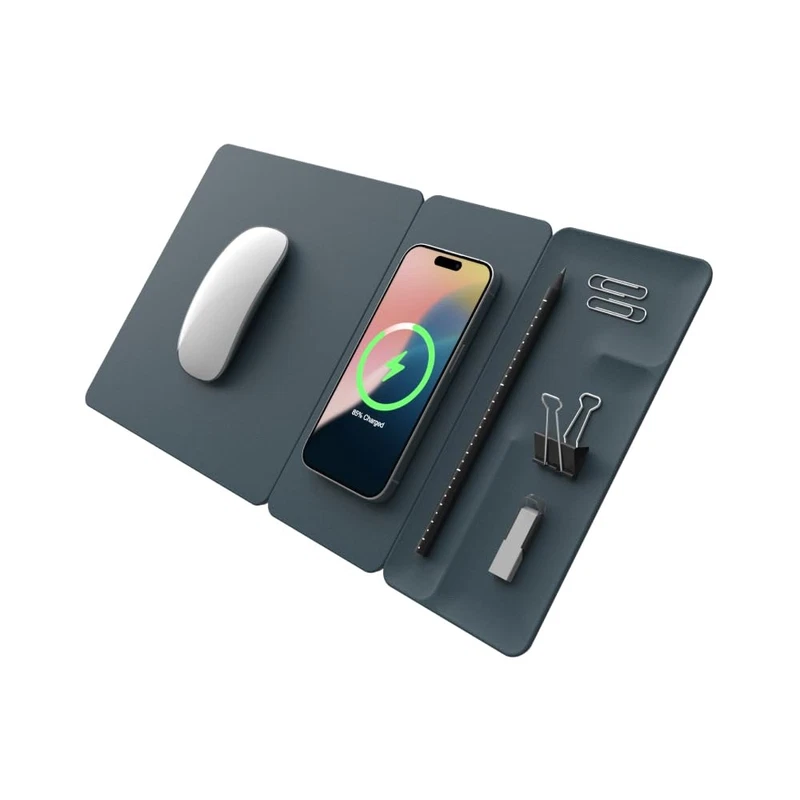
H3 Split Max wireless charging mouse pad$48.07

H3 Split Max wireless charging mouse pad

eBay Elevate your workspace with the H3 SplitMax 3-in-1 Wireless Charging Mouse Pad, a multifunctional accessory designed to streamline your desk setup. This innovative product integrates a fast Qi wireless charger, allowing you to power up your Qi-enabled dev

See the live listing →
ABCMat XXL RGB LED pad$55.0

ABCMat XXL RGB LED pad

eBay New - ABCMat XXL RGB LED Gaming Mouse Pad with Magnetic Wireless Charger & Foldable Phone Holder, 31.5"x15.8" Extended Ultra-Smooth Desk Mat, 25 Lighting Effects, Non-Slip Base, Includes 20W PD Adapter Ship via UPS, USPS, or Fedex

See the live listing →
Part 6

Quick Comparison of the Picks

PadPriceFormatBest for
CafePress Dachshund mousepad$7.99SmallLaptop corner, gift
Large extended stitched pad$11.9980+ cm clothBest value full-desk coverage
Super Mario Bros 3 desk mat$12.91ExtendedArtwork on a budget
Nintendo-inspired art desk mat$12.91ExtendedArtwork on a budget
Redragon Orion P011$13.45RGB edge-litCheapest lighting
RGB pad with wireless charging$20.8980 x 30 cmPhone charging zone
Miroddi XXL RGB charger pad$29.99XXL RGBLit desk with charging
Anime snow sweater desk mat$32.55Large printedThemed setup
Hatsune Miku desk mat$34.95Large printedThemed setup
H3 Split Max charging pad$48.07Split premiumPremium charging build
ABCMat XXL RGB LED$55.00XXLFull-desk lighting
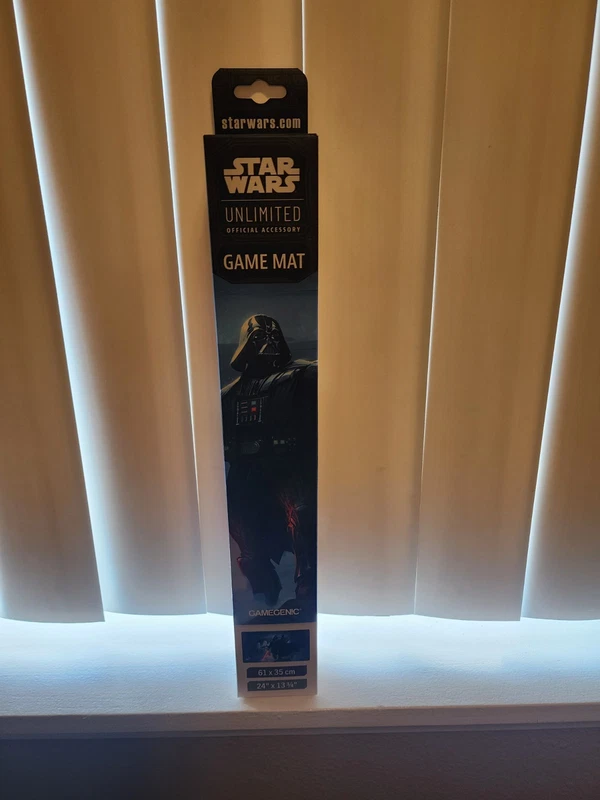
Star Wars Death Star playmat$55.00XXL graphicMouse area plus play surface
Part 7

The Wrist Rest Question

A wrist rest under a pad sounds ergonomic and often is not. Resting the wrist on a raised cushion while moving the mouse plants the carpal tunnel against the rest and slides the heel of the hand across the fabric, which creates friction at exactly the point you are trying to reduce. The healthier pattern is to keep the forearm and hand in a straight line, float the wrist, and let the elbow and shoulder move the mouse. A soft rest is useful only for typing pauses, not for aiming.

If discomfort is the reason you are shopping, a larger pad that lets you keep the elbow off the desk edge solves more than a rest ever will. Extended mats are also easier on the skin than a small pad's hard border, because the wrist never meets the stitched edge mid-flick.

Part 8

Care, Sensor Tracking and Pairing With a Mouse

Cloth pads collect skin cells and dust in the weave, which slowly turns a control surface into a slow one. Hand-wash in lukewarm water with mild soap every few months, air-dry flat, and never machine-dry, because heat curls the rubber. Hard pads only need a wipe; alcohol-based cleaners strip the texture over time. Spot-clean coated pads more gently than uncoated ones, since the hydrophobic layer is a film, not the fabric itself.

Finally, the pad is half the tracking equation. A pad that suits a lightweight flight-sensor mouse may feel dead under a heavier laser sensor, and new PTFE skates glide differently on cloth than worn ones do. If you upgrade both at once, you will not know which change fixed the problem. Swap one at a time, and keep the old pad for a week. For the rest of the desk, our [gaming mouse deals guide](/g/best-gaming-mouse-deals-156) covers the pointing devices that pair with these surfaces, and the two should be chosen together: a fast mouse on a fast pad is a combination that many players find hard to control.

Questions

Frequently asked questions

Is a cloth or hard mouse pad better for gaming?

Cloth pads add friction, damp overshoot and are easier on mouse feet, which suits precise play. Hard pads glide almost freely and suit fast flicks, but they amplify hand tremor and wear skates faster. A coated hybrid sits between the two if you want speed without giving up all damping.

What size mouse pad should I buy?

An extended pad around 80 by 30 cm covers the keyboard and mouse in one surface, so the mouse never drops off the edge. A desk mat at 90 by 40 cm or larger also cushions the wrists and unifies the desk. Small pads cost less but limit how far you can move before lifting the mouse.

Do stitched edges and waterproof coatings matter?

Stitched edges stop cheap cloth pads from delaminating at the border, which is the most common failure. A waterproof coating beads spilled drinks and resists sweat staining, though it makes the surface slightly slicker. A chevron rubber base grips better than flat foam, which creeps during play.

Does a wrist rest help with mouse pad comfort?

Usually not while aiming. Resting the wrist on a cushion plants the carpal tunnel against the rest and adds friction at the heel of the hand. Keep the forearm and hand in a straight line, float the wrist and let the elbow move the mouse. A soft rest is fine for typing breaks only.